
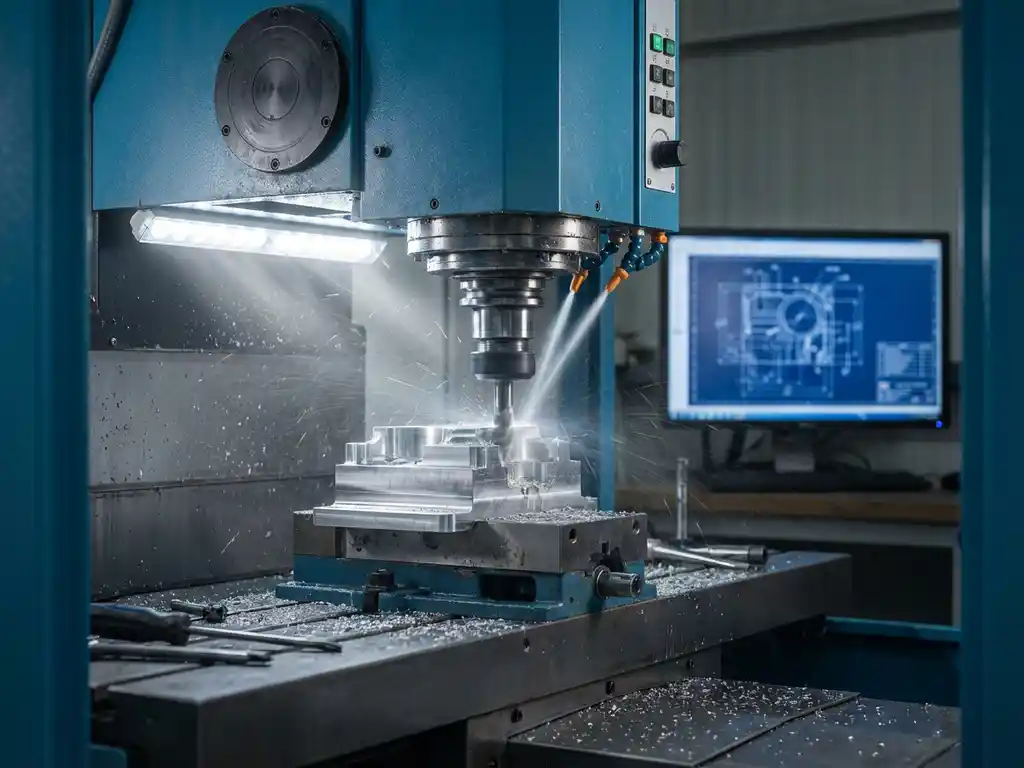
How does CAD software work with CNC machines?
CAD software and CNC machines work together by converting digital 3D designs into machining instructions. CAD software creates the design, while CAM software translates it into G-codes that CNC machines can execute. This integration automates the manufacturing process from digital design to physical product, making the manufacturing industry more efficient and accurate.
What is the connection between CAD software and CNC machines?
The connection between CAD software and CNC machines occurs through a digital chain where designs are converted into executable machine code. CAD software creates detailed 3D models, while specialized Computer-Aided Manufacturing (CAM) software analyzes these designs and converts them into toolpaths and G-codes that CNC machines can interpret.
This process begins with the 3D model from your CAD program. The CAM software reads this model and determines the optimal machining strategy. The system calculates what tools are needed, in what order machining should take place, and at what speeds and feeds.
The generated G-codes contain precise instructions for each movement of the CNC machine. These codes specify coordinates, speeds, tool changes and coolant commands. Modern CAD software can often communicate directly with CAM modules, streamlining this process.
How are 3D designs converted to CNC machining instructions?
Converting 3D designs to CNC machining instructions is done through a systematic process of CAM programming and post-processing. It begins with importing the CAD model into CAM software, followed by defining machining strategies and generating toolpaths.
The first step is to analyze the geometry and determine the machining sequence. You define which surfaces are to be machined and select the appropriate tools. The CAM software then calculates the optimal toolpaths, taking into account material specifications and machine capacities.
Post-processing is the last crucial step. This is where the generic toolpaths are converted into specific G-codes for your CNC machine. Each machine manufacturer has its own codes and formats, so the post-processor ensures the correct translation. This results in an NC program that can be loaded directly onto the CNC machine.
During this process, safety checks are also performed to prevent collisions and machining time is optimized for maximum efficiency.
What benefits does direct CAD-CNC integration offer manufacturing companies?
Direct CAD-CNC integration offers manufacturing companies significant advantages in terms of lead time, quality and cost control. Key benefits include reduced programming errors, faster production ramp-up and improved traceability of design changes throughout the manufacturing process.
Lead times are drastically reduced as manual steps are eliminated. Design changes are automatically reflected in production instructions. This eliminates traditional delays between design and production, allowing you to respond faster to customer requirements.
Quality improvement occurs because human interpretation errors are eliminated. The digital model is precisely translated into machine code, ensuring consistent results. Automated production reduces variation and increases part reproducibility.
Cost savings are achieved by:
- Less programming and shorter setup time
- Less material waste through better simulation
- Lower labor costs due to automation
- Faster market introduction of new products
What are the main challenges in linking CAD to CNC manufacturing?
Linking CAD to CNC manufacturing presents challenges in terms of software compatibility, the complexity of machining strategies and the need for specialized knowledge. These challenges require careful planning and often investments in training and new systems.
Software compatibility is often the biggest hurdle. Not all CAD systems communicate seamlessly with CAM software, and file formats can lose information during transfer. Legacy systems can cause problems when integrated with modern CNC controllers.
The complexity of modern parts requires advanced machining strategies. Five-axis machining, complex surfaces and tight tolerances make programming more challenging. Material specifications must be accurately translated into cutting parameters and cooling strategies.
Staff training is a critical success factor. Operators must master both CAD and CAM software and also have an understanding of CNC programming. This requires substantial investment in training and often recruiting specialized personnel.
Other challenges include:
- Validation of generated programs before production
- Managing different versions and changes
- Integration with existing ERP systems
- Maintenance of post-processors for various machines
How IronCAD helps with CAD-CNC integration
IronCAD offers an integrated solution that bridges the gap between digital design and CNC manufacturing. Our software automatically generates all the output needed for production, allowing you to work faster and more efficiently.
With IronCAD, you benefit from:
- Automatic NC code generation directly from your 3D designs
- Integrated saw list and purchase list creation for complete production support
- Seamless interfacing with our ERP solutions for complete process automation
- Flexible history independence that facilitates adjustments without damaging the model
Want to know how IronCAD can optimize your CAD-CNC integration? Contact us for a personal demonstration of our automated manufacturing solutions.


