
System Requirements for IronCAD
Would you like to know which computer is suitable for IronCAD? On this page, you’ll find the minimum system requirements, supported Windows versions, and recommended CADCO workstations for professional use with IronCAD.
IronCAD was developed for Microsoft Windows. Recent versions of IronCAD require a 64-bit Windows operating system.

Minimum System Requirements
The specifications below are the minimum requirements for installing and using IronCAD to create simple drawings and models.
| Component | Minimum requirement |
| Operating System | 64-bit Windows operating system (Pro) |
| Processor | Pentium 4 or higher, or comparable AMD processor |
| RAM | 4 GB RAM |
| Graphics card | DirectX- and/or OpenGL-compatible graphics card |
| Storage Space | At least 2 GB of free disk space |
Note
These are the minimum system requirements for running IronCAD. For daily professional use, large assemblies, and rendering, a more powerful workstation is recommended.
Recommended Workstations for IronCAD
The CADCO workstations listed below are suitable for various types of IronCAD users. The systems are available from CADCO, where they can be configured and customized to suit your specific needs.
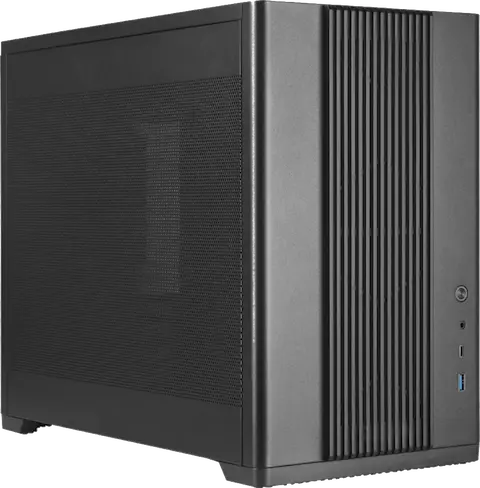
iDraw Pro
For intensive 3D design and larger assemblies.
The iDraw Pro is a powerful workstation designed for everyday professional use of IronCAD. This model is suitable for intensive drafting, complex 3D models, and medium- to large-scale assemblies. Thanks to the combination of a fast processor, ample RAM, and a professional graphics card, IronCAD runs smoothly and reliably.
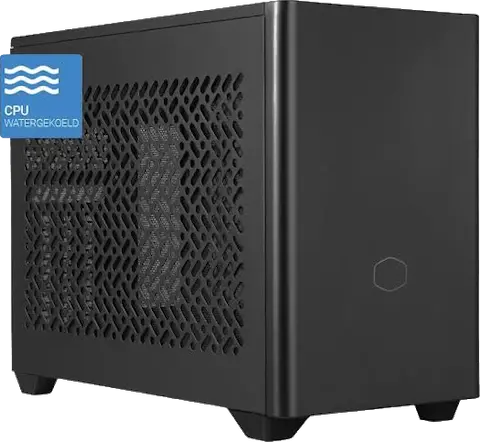
iDraw Pro Mini
For professional use of IronCAD in a compact housing.
The iDraw Pro Mini offers powerful performance in a compact chassis. This workstation is suitable for everyday use with IronCAD and fits well in workspaces where space is limited. It’s a great choice for users who want to draw professionally without having a large workstation cabinet on or under their desk.
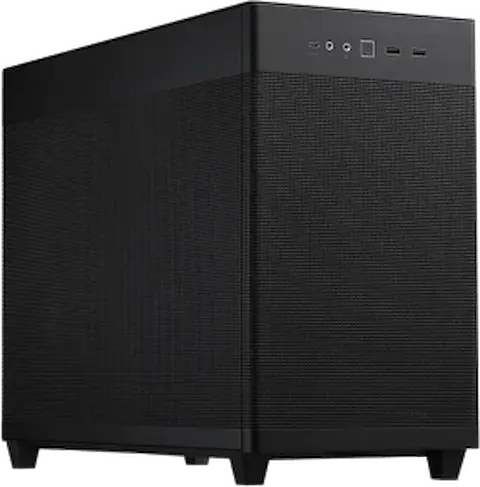
iVisualize+
For IronCAD, KeyShot, visualization, and rendering.
The iVisualize+ was developed for users who combine IronCAD with visualization and rendering in KeyShot. This workstation features a powerful processor and graphics card, ensuring that both 3D design and the creation of high-quality renders run smoothly. It is particularly well-suited for users who, in addition to modeling, also create a lot of product images and presentations.
IronCAD’s Compatibility with Windows
See below to find out which versions of Windows are supported by recent versions of IronCAD. Before installation, always check to make sure your version of IronCAD is compatible with the version of Windows on your computer.
| IronCAD Version | Supported Windows versions |
| IronCAD 2026 | Windows 11 and Windows 10 |
| IronCAD 2022–2025 | Windows 11, Windows 10, and Windows 8.1 |
Are you using an older version of IronCAD, or are you unsure about compatibility? If so, please contact us.