
Canopy design with IronCAD
Designing a fabric canopy requires a flexible workflow and a 3D model that moves instantly with changes in the structure. IronCAD 2026 makes this easy by combining free modeling with parametric control. This allows you to design faster, test variants faster and work accurately based on survey data.
Working based on surveying with DWG or DXF
Many fabric canopies are custom designed for a specific location. IronCAD makes this process efficient by being able to import DWG or DXF files directly. These files serve as a reference on which piles and other construction points are accurately positioned.
The workflow consists of three simple steps:
- Import DWG or DXF survey data.
- Place the poles at the measured locations using the TriBall.
- The cloth model is automatically adjusted to the new positions.
This approach prevents errors and saves time, especially on projects where accuracy is essential.
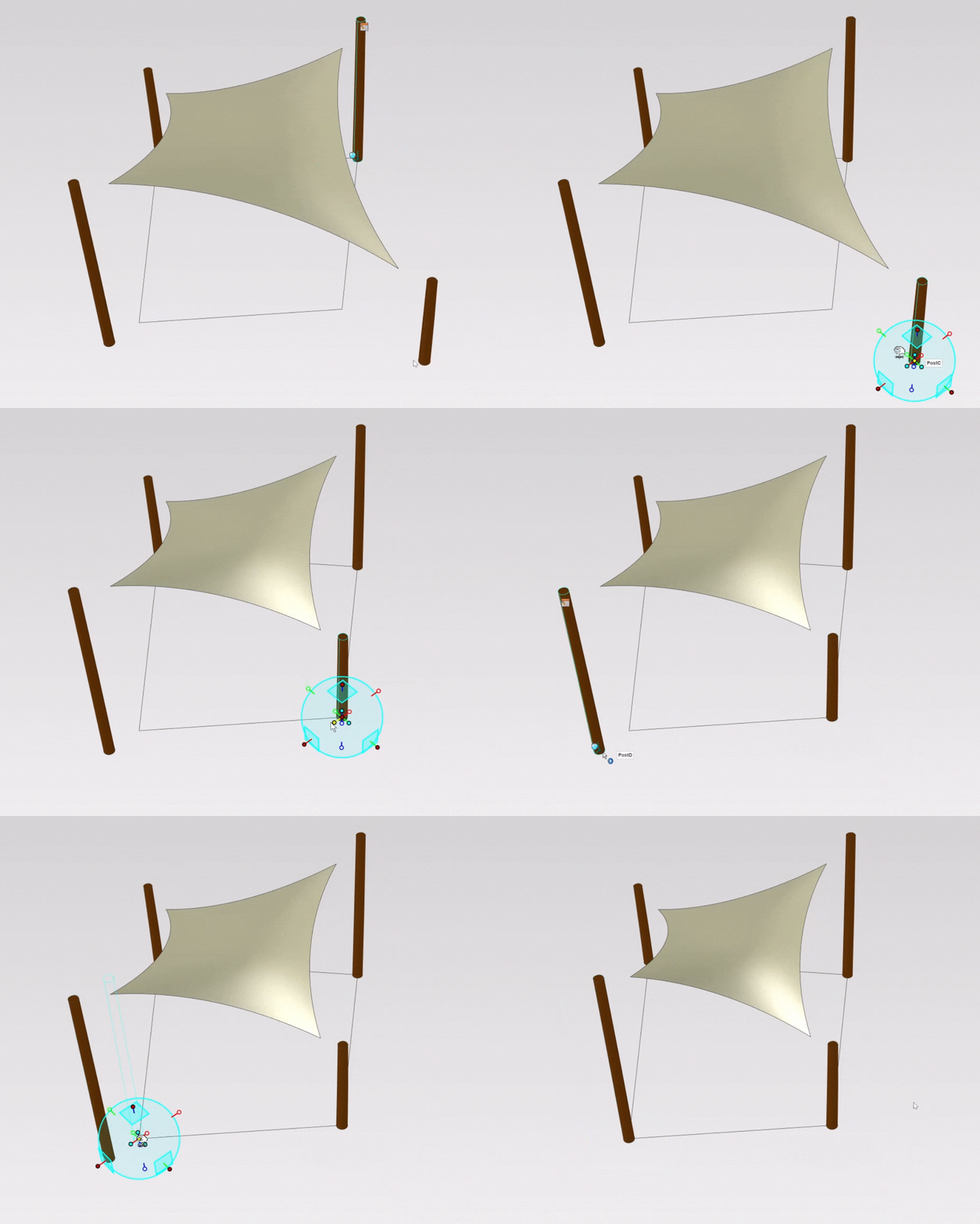
Automatically moving fabric construction
One of IronCAD’s strengths is that the canvas automatically adjusts as the position of the poles change. This is possible thanks to a parametric construction of the model. The shape, tension and curves remain technically correct while you remain free in your design decisions.
Shape control with Radius Factor
The video uses a parameter called Radius Factor. This allows you to adjust the curvature of the canvas without having to manually trace or change the model. Changing the value updates the geometry immediately. This speeds up the process and ensures consistent results.
Suitable for custom projects and specials
Cloth canopies are rarely standard products. Each project requires customization. IronCAD offers a method of working that is excellent for companies that:
- shade canopies design
- develop membrane constructions
- build custom structures
- implement projects based on local surveying
The combination of intuitive movement, parametric control and automatic updates offers clear added value for designers and engineers.
Getting started yourself
IronCAD offers an efficient workflow that combines flexibility and precision. Whether you are designing complex parts or want to create variants quickly, this approach supports every step of the process. Find out how it can enhance your own projects and start with the trial version.
