
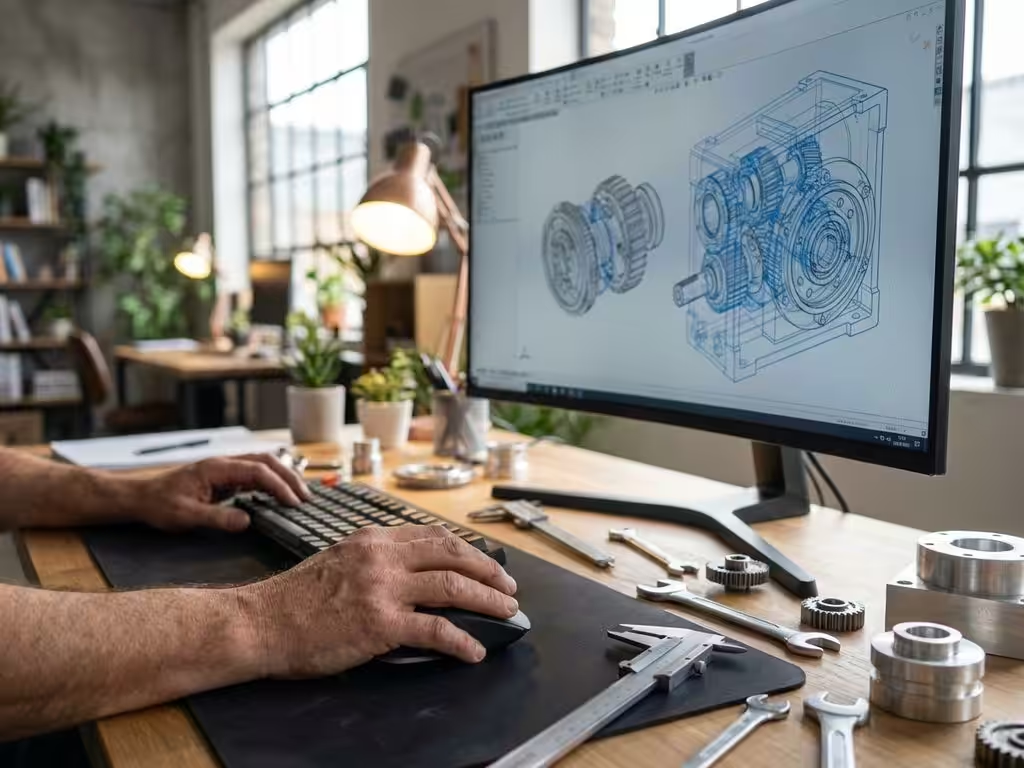
How is CAD software used in the manufacturing industry?
The manufacturing industry has been revolutionized by the advent of CAD software. Where designers used to spend hours on hand-drawn technical drawings, they can now create complex 3D models within minutes that are instantly translated into production. This digital transformation has not only increased speed, but also dramatically improved the precision and flexibility of the design process.
For manufacturing companies, this means a competitive advantage they cannot afford to miss. From furniture makers to machine builders, everyone benefits from the possibilities offered by modern CAD software. In this article, you’ll discover how CAD software is being used in different sectors of the manufacturing industry and what benefits it brings to your business.
Why CAD software is indispensable in modern manufacturing processes
The transition from traditional drawing methods to digital design has fundamentally changed the manufacturing industry. CAD software is now the backbone of virtually every manufacturing process, from the initial concept to the final product rolling off the production line.
Whereas designers used to take days to make changes to technical drawings, they can now make adjustments with just a few clicks that automatically carry over into all related documents. This not only saves time, but also eliminates errors caused by manual transfer of information.
The benefits of digital design are measurable. Companies that switch to CAD software see their development cycle shortened by an average of 30 to 50 percent. They can also create variations of products much more easily, which is essential in a market where customization is increasingly important.
In terms of competitiveness, this means that without CAD software, companies simply cannot keep up. Customers expect fast turnaround times, accurate quotes and the ability to make adjustments. Without digital design tools, this is virtually impossible to achieve.
The main CAD applications in different manufacturing sectors
Each sector in the manufacturing industry has its own specific requirements and applications for CAD software. The furniture industry is all about customization and material optimization. Furniture makers use CAD software to quickly create visualizations for customers and automatically generate saw lists that minimize material waste.
Mechanical engineering has different requirements. Here we are dealing with complex assemblies with thousands of parts that must fit together perfectly. CAD software helps engineers detect interferences before the first bolt is tightened, preventing costly errors.
In the automotive sector, aerodynamics plays a crucial role. Here, CAD software is coupled with simulation tools to analyze air flows and optimize fuel consumption. Every millimeter counts in this industry, and digital design enables this level of precision.
The aerospace industry goes one step further. Here, every part must meet strict safety requirements and weight limitations. CAD software helps engineers make the best use of materials and design structures that are both light and strong.
How IronCAD offers revolutionary design flexibility for manufacturing companies
IronCAD is distinguished by its unique approach to 3D design. The name stands for “Industrial Revolution on CAD,” and the software offers a workflow that is much more intuitive than traditional CAD packages. Instead of memorizing complex commands, you work with a drag-and-drop interface that speeds up the design process.
IronCAD’ s flexibility is most evident in its ability to make changes quickly without rebuilding the entire model. This is especially valuable for companies that create many variants of their products or need to make frequent modifications based on customer requirements.
For manufacturing companies, this flexibility means they can respond more quickly to market demands. For example, a cabinetmaker can customize a standard kitchen cabinet to specific dimensions within minutes, complete with updated bills of materials and production drawings.
The intuitive interface also helps new employees become productive faster. Whereas traditional CAD software often requires months of training, IronCAD allows users to get started on complex design projects within weeks.
From 3D model to production: automation of the entire process
Modern CAD software goes far beyond drawing. The heart of the added value lies in the automatic generation of production information. Once your 3D model is ready, the software can automatically generate all the necessary documents for production.
Saw lists are automatically calculated based on the materials in your design. The software takes into account saw cuts, material directions and optimizes sheet layout to minimize waste. This not only saves material, but also time in work preparation.
Purchase lists are automatically generated by extracting all hardware and materials from the model. No more forgotten screws or wrong numbers. The software even takes stock and delivery times into account when this information is available.
For companies with CNC machines, the software automatically generates NC codes that can be used directly for production. This eliminates manual programming and significantly reduces the risk of errors. The result is a seamless transition from design to production that dramatically reduces lead time.
Common challenges in CAD implementation and their solutions
Moving to CAD software brings challenges that many companies underestimate. Employee training is often at the top of the list of concerns. The solution lies in phased implementation and hands-on training that ties directly into daily operations.
Workflow integration presents another challenge. Existing processes must be adapted to the new digital way of working. It helps to start small with pilot projects and gradually expand to other departments. This gives everyone time to get used to the new way of working.
Software choice can be overwhelming due to the wide range of CAD packages available. Focus on your specific needs and choose software that fits your industry and company size. A furniture maker has different requirements than a machine builder, and the software must be tailored to that.
Data migration of existing drawings to the new system requires good planning. Not all old drawings need to be transferred immediately. Start with active projects and convert historical data incrementally as it is needed.
How IronCAD helps with CAD implementation in the manufacturing industry
IronCAD offers the perfect solution for manufacturing companies looking to digitize their design processes without the complexity of traditional CAD software. Our approach focuses on:
- Intuitive interface that shortens the learning curve and enables rapid adoption
- Flexible design tools perfectly suited to the needs of the manufacturing industry
- Automatic generation of saw lists, purchase lists and NC codes for seamless production integration
- Sector-specific customization for furniture, machinery and other manufacturing sectors
We guide you all the way through the implementation, from software installation to training your team. This ensures that your investment in CAD software delivers immediate results and strengthens your competitive position.
Want to discover how IronCAD can transform your design processes? Contact us for a personal demonstration and tailored advice for your business.


