
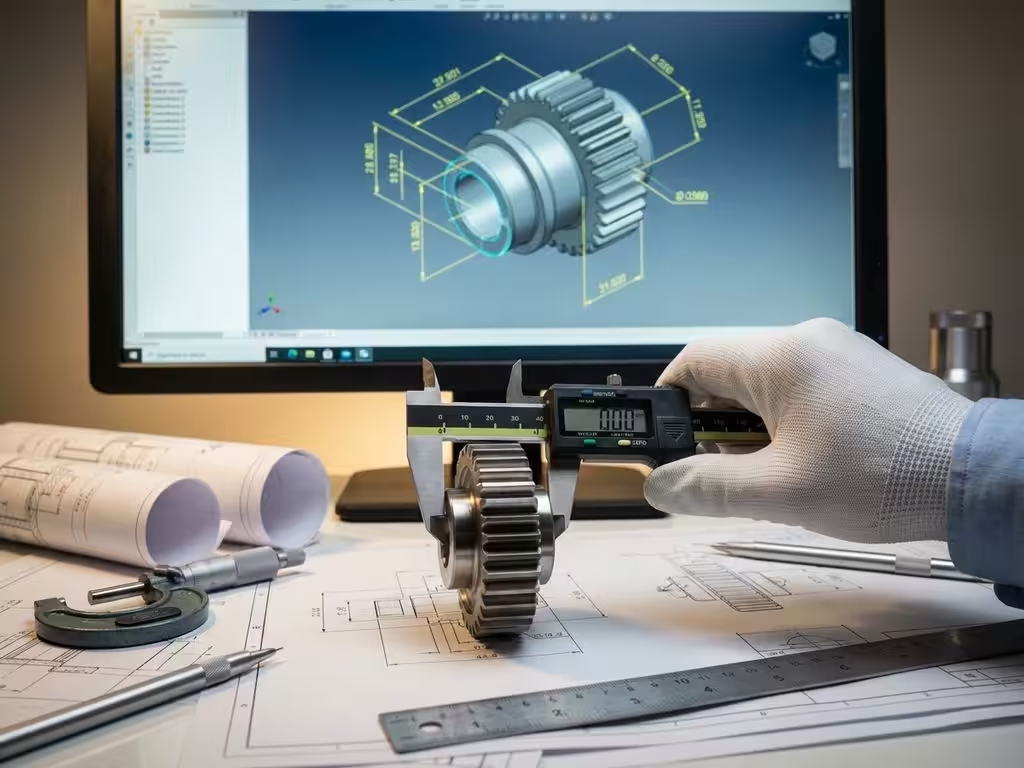
Can CAD software automatically add dimensions?
In the modern manufacturing industry, time is precious, and every minute you save on engineering drawings can make the difference between profit and loss. Manually adding dimensions to CAD drawings is a time-consuming process that many companies still perform on a daily basis. Fortunately, modern CAD software offers powerful automation capabilities that can dramatically speed up this process.
Automatic dimensioning is no longer future music, but a reality that can already transform your production process today. From parametric modeling to intelligent recognition of geometric relationships, technology has evolved to the point where software can take over much of the thinking for you. In this article, you’ll discover how this technology works and how you can take full advantage of it.
How CAD software automatically generates dimensions
Modern CAD software uses parametric modeling as the basis for automatic dimensioning. This means that every part of your design is built from parameters and relationships between different elements. When you draw a line or create a shape, the software stores not only the geometry but also the underlying mathematical relationships.
Intelligent recognition of geometric relationships plays a crucial role here. The software automatically recognizes parallel lines, right angles, circles and other shapes. Based on this recognition, the system can determine which dimensions are relevant and where best to place them.
Another important mechanism is feature recognition. This system analyzes your design and identifies standard parts such as holes, slots or facets. For each recognized part, the software knows what dimensions are critical and automatically adds them to your engineering drawing.
Why manual sizing is a waste of time
Adding dimensions manually introduces several inefficiencies that can significantly affect your productivity. On average, an experienced draftsman spends 30 to 40 percent of his time placing and adjusting dimensions. This time could be much better spent optimizing designs or solving technical challenges.
Human error is another major problem in manual dimensioning. Inconsistencies in dimensions, forgotten measurements or misplaced dimensions can lead to costly production errors. In the manufacturing industry, one wrong dimension can result in material waste, part recount or even complete remanufacturing.
The impact on production processes is significant. When drawings are inconsistent or important dimensions are missing, production delays occur. Operators have to go back to the drawing department for clarification, which can significantly increase project lead times.
IronCAD’s intelligent dimensioning features in practice
IronCAD offers advanced automatic dimensioning features designed specifically for companies in the manufacturing industry. The smart dimensions functionality automatically recognizes the most relevant dimensions for your design and places them at logical positions in your engineering drawing.
Associative dimensioning ensures that all dimensions are automatically updated when you make changes to your 3D model. This means you never have to manually adjust dimensions again after design changes. For companies in the furniture and interior construction industries, where customization is the standard, this saves a tremendous amount of time when customizing designs for specific customer requirements.
A practical example is designing a custom closet. When you adjust the width of the cabinet from 80 to 90 centimeters, all related dimensions are automatically updated. This applies not only to the main dimensions, but also to the positions of shelves, doors and other components.
What CAD features enable automatic dimensioning
Several engineering functions work together to enable automatic dimensioning. Parametric modeling forms the basis, where each part of your design is defined by parameters and relationships. These parameters can range from simple dimensions to complex mathematical formulas.
Constraint-based design is another essential feature. This system defines the relationships between different parts of your design. For example: a hole that must always remain 10 millimeters from the edge, regardless of the size of the part. These constraints ensure that automatic sizing remains logical and consistent.
Feature-recognition technology identifies standard parts and shapes in your design. These can be simple elements such as holes and slots, as well as more complex features such as gears or screw threads. For each recognized part, the software knows which dimensions are critical.
Template-based dimensioning uses predefined templates for different types of drawings. These templates contain rules about which dimensions should be displayed and how they should be positioned.
Automatic dimension optimization for manufacturing processes
To get the most out of automatic dimensioning, it is important to configure your CAD software correctly for your specific manufacturing processes. Start by setting dimensioning styles that match your business standards and the requirements of your production machines.
To generate cutting lists, it is essential that your CAD software extracts the correct dimensions. Configure your system so that it automatically identifies the most important dimensions for cutting and exports them in the correct format for your saws.
When generating NC codes for CNC machines, your dimensioning system must account for tolerances and machining allowances. Set your software to automatically apply appropriate tolerances based on the type of machining and material.
Use layer management to organize different types of dimensions. For example, place production dimensions on a different layer than control dimensions. This allows you to show or hide specific information depending on who is using the drawing.
How IronCAD helps with automatic sizing
IronCAD offers a complete solution for automatic dimensioning that perfectly meets the needs of the manufacturing industry. Our software combines intelligent recognition with flexible configuration capabilities, allowing you to:
- Automatically generates cutting lists with all required dimensions and material specifications
- Saving time through smart sizing that adapts to your design changes
- Eliminates errors through consistent and accurate automatic measurements
- Optimizes production processes with instantly usable NC codes and reports
Want to discover how automatic dimensioning can transform your manufacturing process? Contact us for a personal demonstration of IronCAD’s capabilities.


