
Exploded View in IronCAD Mechanical
Make complex compositions instantly understandable
When designing mechanical assemblies, clear communication is essential. Whether for assembly, service or technical documentation, you want to show at a glance how parts relate to each other. With Exploded Views in IronCAD Mechanical, you can make complex assemblies visually clear, without additional drawing work or manual adjustments.
What is an Exploded View?
An exploded view is a view in which parts of an assembly are placed apart in a controlled manner while their relationship to each other remains visible. This view is widely used for:
- Assembly and disassembly instructions
- Technical Documentation
- Service manuals
- Product presentations
In IronCAD Mechanical, an exploded view is always directly linked to the 3D model. Changes to the design are made automatically, so the information always remains current and reliable.
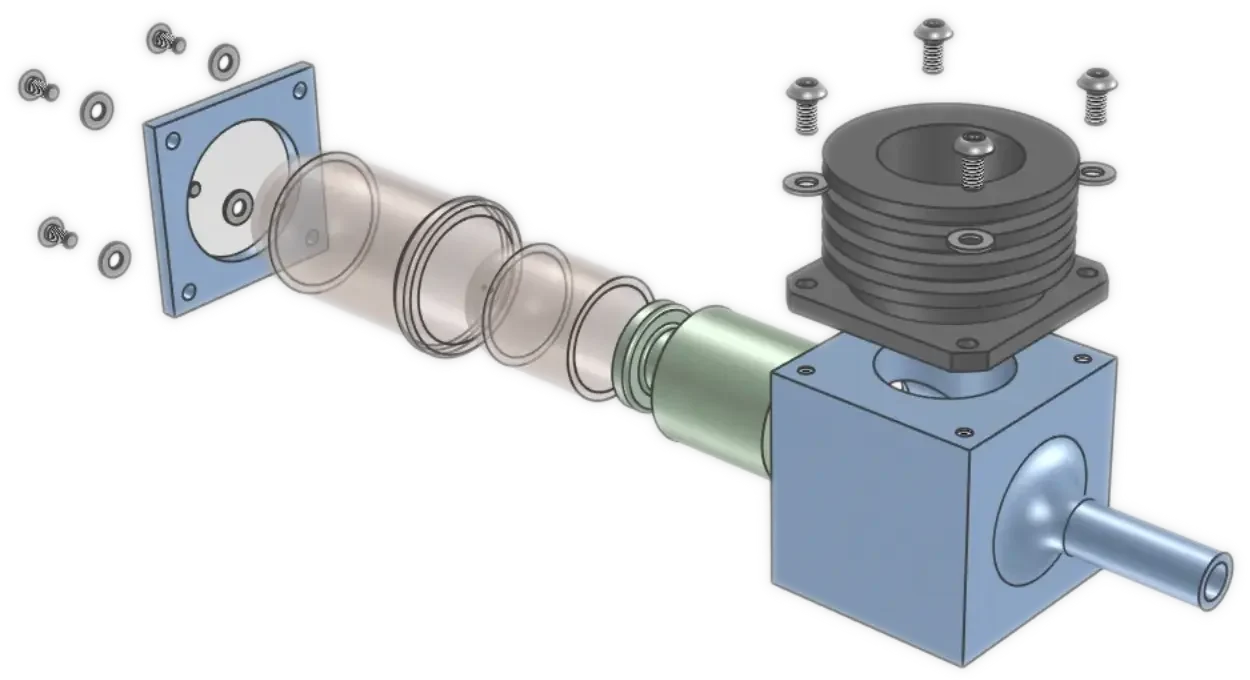
Creating Exploded Views with IronCAD Mechanical
Mechanical offers several ways to create exploded views. One commonly used method is the Create Explosion tool from the IronCAD Mechanical catalog. With this tool, you have complete control over:
Explosion Center
Direction by component
Moving or fixed parts
Movement sequence
Speed per item
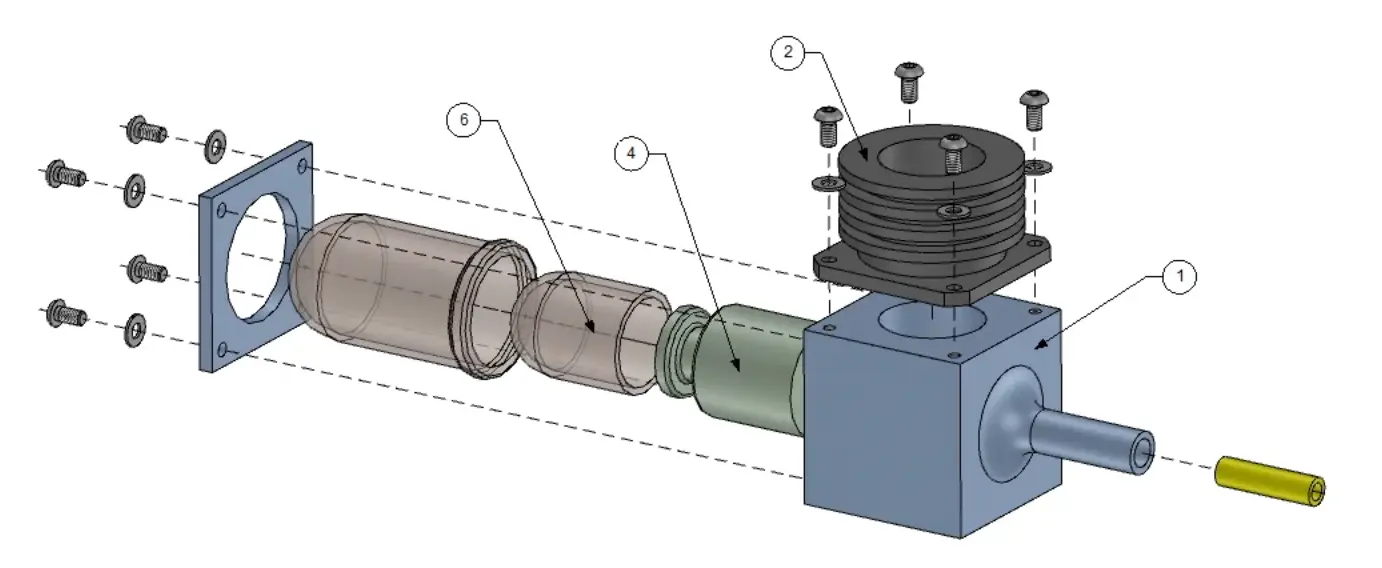
From 3D exploded view to 2D drawing
The exploded view can be used directly in a 2D drawing. It is thereby taken over one-to-one in the drawing. Because everything remains linked to the 3D model, changes are automatically made in both the exploded view and the 2D drawing.
In addition, you can present the exploded view with a shaded view, for a more realistic image in documentation, quotations or assembly instructions.
Fewer errors, better communication
Because exploded views are generated entirely from the 3D model, you reduce the chance of errors in work preparation and production. Assembly instructions are clearer, documentation is more consistent and communication with the shop floor is more efficient.
Exploded views in IronCAD Mechanical help you convey technical information faster, reduce assembly errors and save time in documentation and work preparation.

Want to learn more about Exploded Views in IronCAD?
The IronCAD Academy offers practical, step-by-step video tutorials on working with exploded views in IronCAD Mechanical.