
IronCAD Mechanical 2027
New features for steel structures and mechanical engineering
IronCAD Mechanical 2027 introduces new features for steel construction, mechanical engineering, and industrial engineering. The latest version focuses on automation, more accurate bills of materials (BOMs), more efficient steel design, and better management of large assemblies.
For engineers and designers, this means less manual work, greater consistency, and a faster design process.
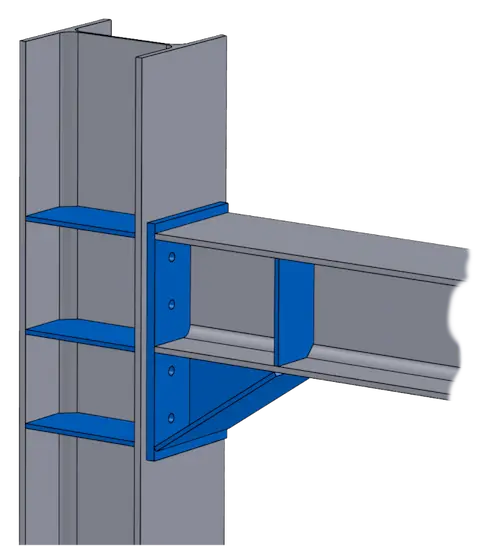

What is Mechanical for IronCAD?
IronCAD Mechanical is an add-on for IronCAD that provides additional tools for mechanical design, structural steel design, sheet metal design, parts lists, and production preparation. The add-on helps engineers automate repetitive tasks and build complete 3D models, assemblies, and production data more quickly.
With IronCAD Mechanical 2027, these workflows have been further expanded with new features for BOM verification, steel connections, fasteners, profiles, and large assemblies.
More reliable parts lists
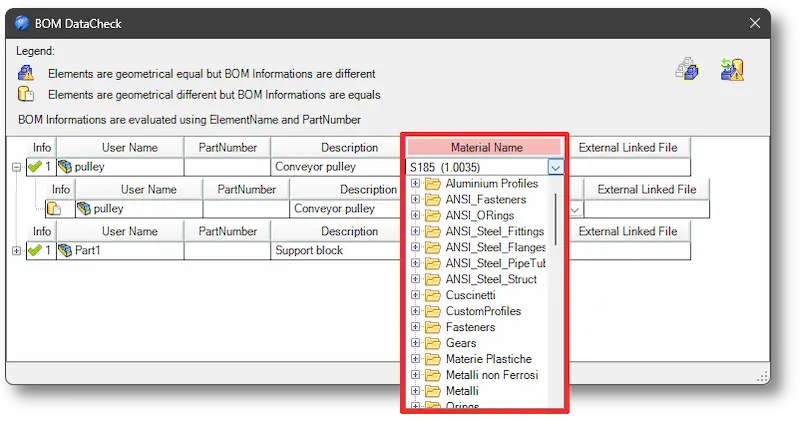
An accurate bill of materials is the foundation of a smooth production process. That is why the Check BOM feature in IronCAD Mechanical 2027 has been enhanced with material verification.
In addition to comparing geometry, names, and part numbers, the software now also checks whether parts are made of the same material. This makes discrepancies more easily detectable and allows errors to be resolved as early as the engineering phase.
This not only helps improve the quality of project data, but also prevents problems during procurement and production.
Simpler management of linked components
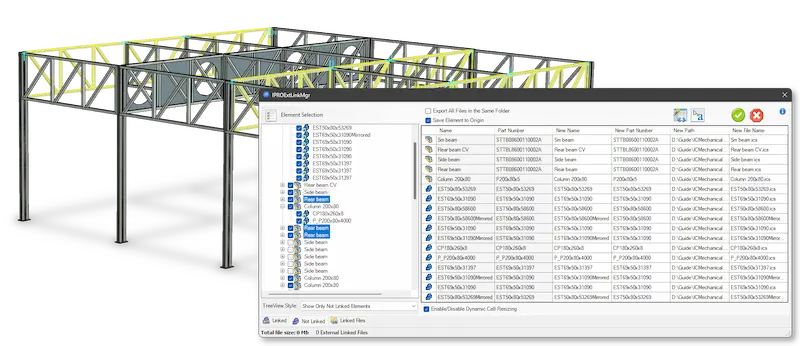
In larger projects, components are often used in multiple assemblies. Managing these relationships can become complex, especially when designs continue to evolve over the course of a project.
With the updated External Link Manager, internal components can be easily converted to external files without losing existing relationships. This makes it easier to reuse components and helps keep large projects organized.
This offers immediate benefits for organizations that work with standard modules or repeatable designs.
New Steel Joints tool for faster steel design
One of the most significant additions in this release is the new Steel Joints feature.
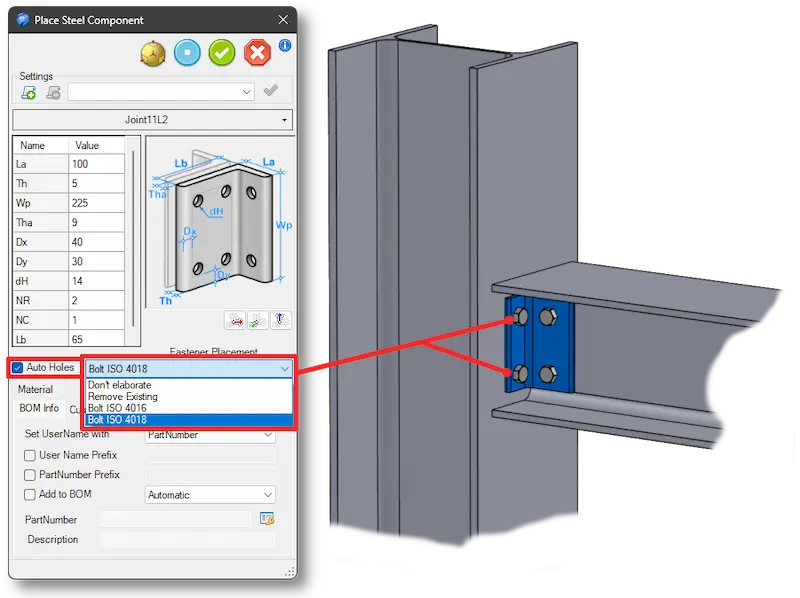
This tool allows steel connections to be placed and configured more quickly. Users simply select a connection type, after which holes and fasteners are added automatically. It is also possible to add custom components to the library.
This makes the design of steel structures faster, more consistent, and better aligned with company-specific standards.
Automatic bolt and hole placement
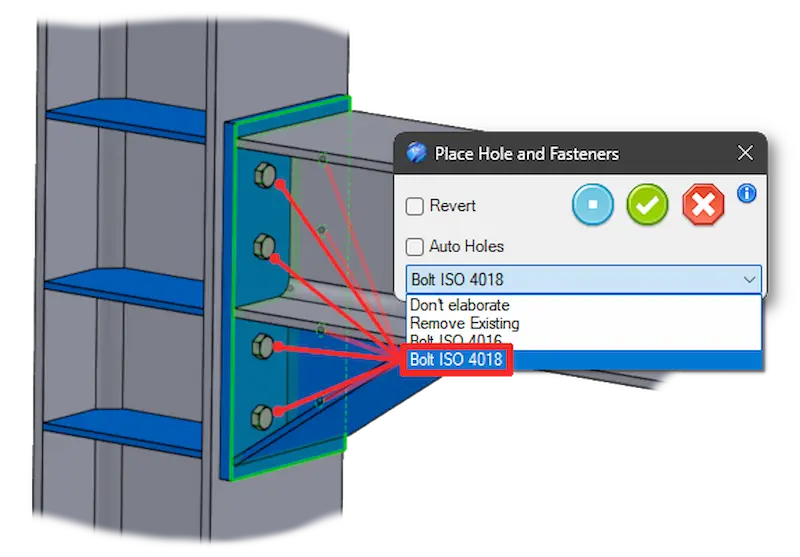
A lot of time in steel design is wasted on repetitive tasks. That’s why IronCAD Mechanical 2027 introduces the new Place Hole & Fasteners feature.
This tool allows bolts to be automatically positioned in existing holes in a steel plate. At the same time, corresponding holes can be created in the underlying profiles.
This reduces manual labor and ensures consistent execution of steel connections throughout the entire project.
Improved stiffeners for steel structures
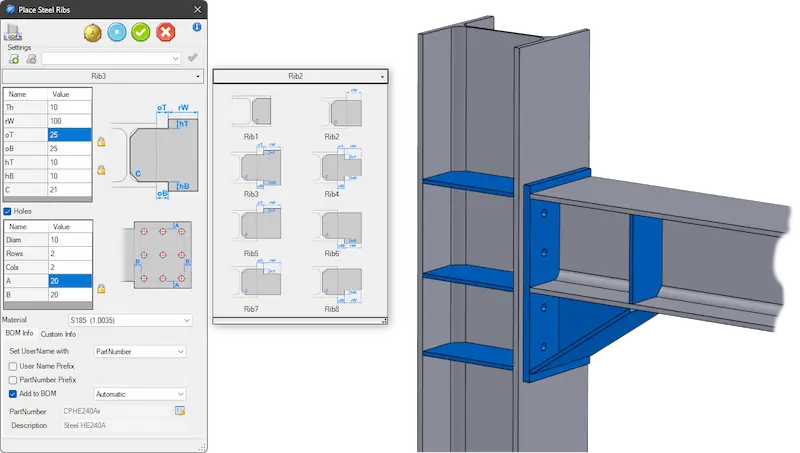
The Steel Stiffener feature has also received a major update.
The updated interface offers more options for placing stiffeners on H-sections and other steel structures. It also provides greater control over hole patterns, gusset plates, and lateral stiffeners.
For engineers who regularly work with load-bearing steel structures, this provides greater flexibility during the design process.
Improvements for profiles and tubular structures
IronCAD Mechanical 2027 includes several optimizations for working with steel sections and tubular structures.
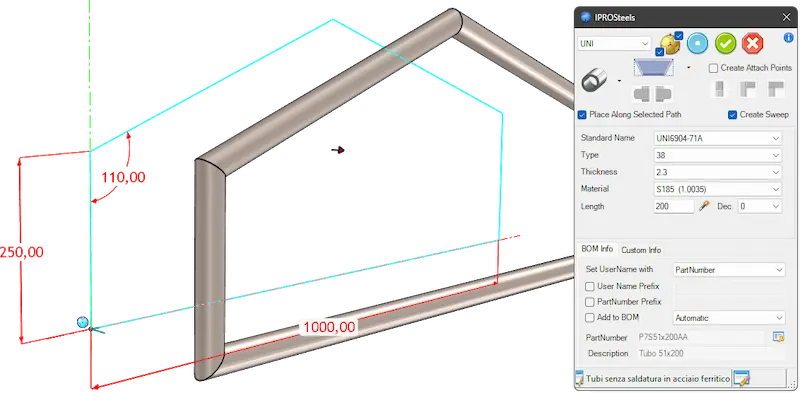
For example, profile creation has been further improved with optimized sweep functionality, automatic regeneration of attachment points, and better processing of profile data from libraries.
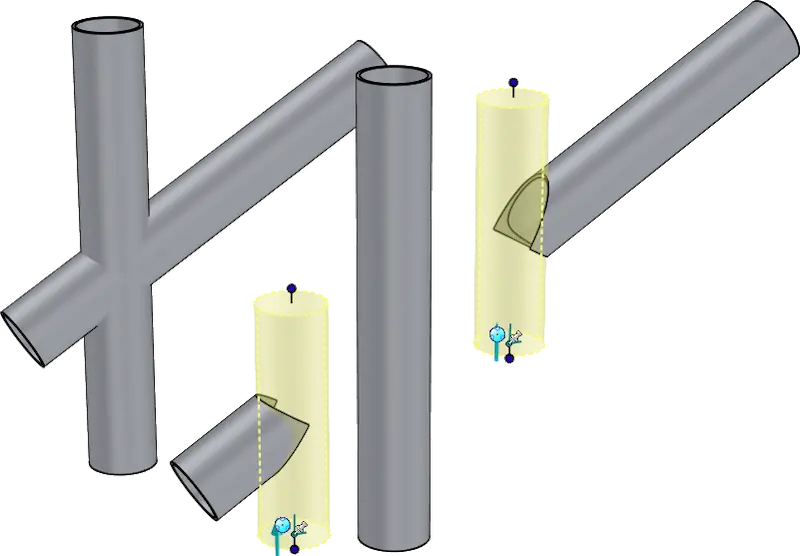
In addition, the updated Trim at Intersection feature ensures more precise connections between tube profiles. This results in a better fit between parts and a more reliable final model.
Greater control over materials, colors, and compositions
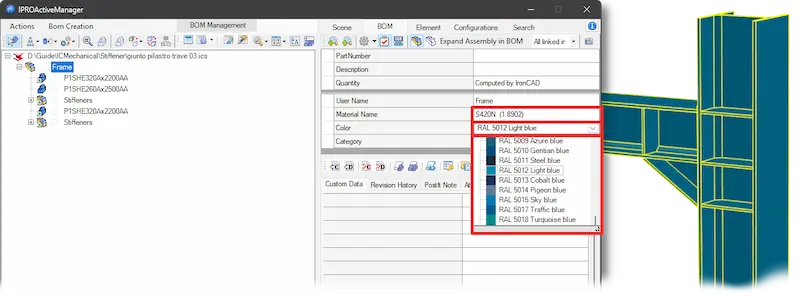
New features have been added to IPROActiveManager for managing materials and colors at the assembly level.
This allows designers to organize information more effectively and makes it easier to document coatings, finishes, and material types within larger projects.
The BOM generation feature for multiple assemblies has also been further improved.
Improved numbering and technical documentation
In addition to design improvements, IronCAD Mechanical 2027 also includes various optimizations for documentation and project management.
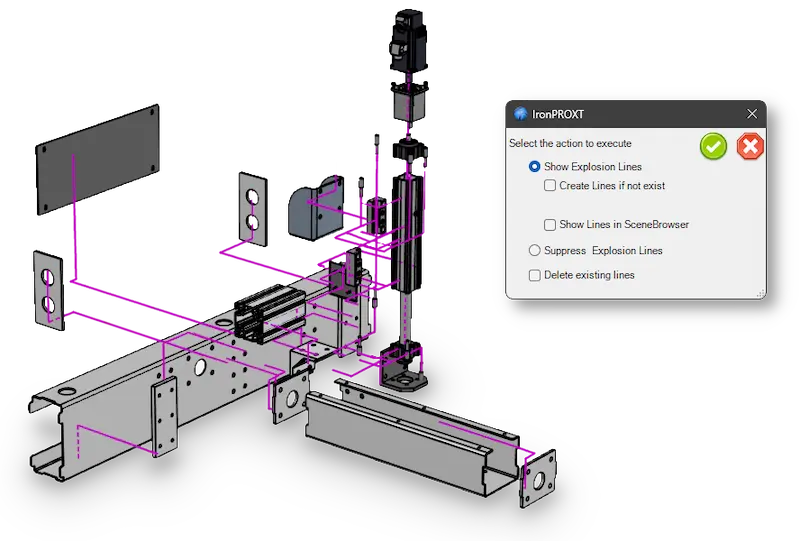
The numbering module now supports generic numbering sequences that are not tied to a specific project. In addition, exploded views have been improved, with explosion lines now automatically displayed orthogonally for a clearer result.
This makes technical documentation clearer and more professional.
A practical update for engineering teams
IronCAD Mechanical 2027 offers a range of practical enhancements that further automate everyday engineering tasks. From BOM checks to steel connections and assembly management, the new features help design teams work more efficiently and consistently.
Want to learn more about IronCAD Mechanical 2027? Explore the features or contact your local IronCAD reseller.