
Native Translator
The fastest way to exchange CAD data
Do you receive CAD files from customers, suppliers or partners working with another CAD package? The IronCAD Native Translator lets you open native CAD files directly in IronCAD, without time-consuming conversions or rebuilding models.
So you work seamlessly with organizations using SolidWorks, Inventor, NX, Creo, Solid Edge, CATIA and other commonly used CAD formats.
Collaboration without CAD restrictions
In practice, companies rarely work with just one CAD system. Customers, suppliers and partners often use different software packages, which can make exchanging designs challenging.
The Native Translator extends IronCAD with extensive import and export capabilities for commonly used CAD formats. This allows you to review external designs faster, reuse them and incorporate them within your own projects.
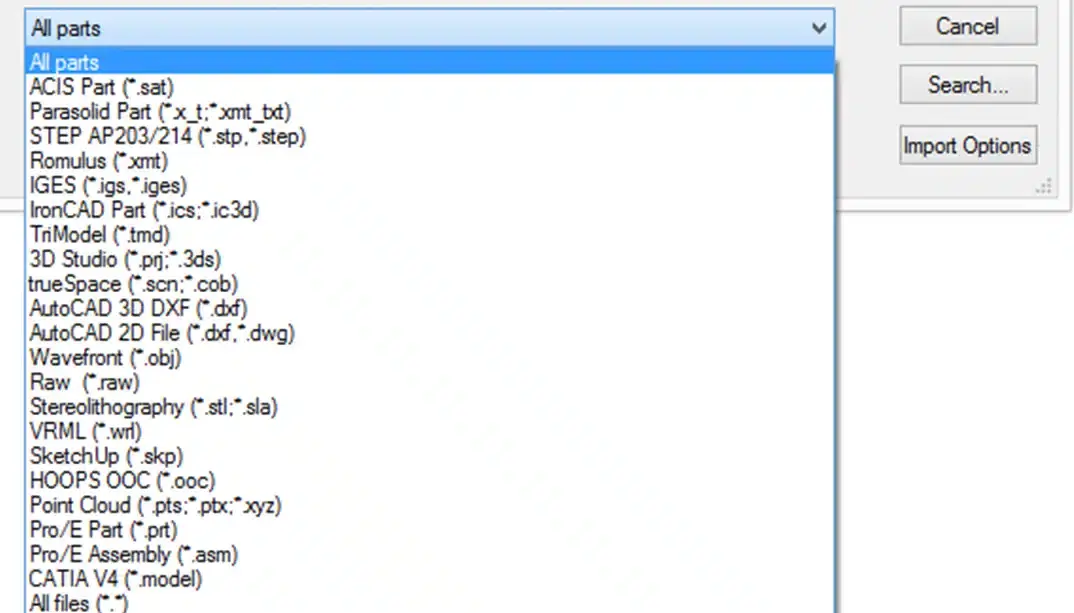
Supported file formats
Why choose the Native Translator?
Work directly with external CAD data
Open files from customers and suppliers without conversions to neutral formats.
Accelerate engineering projects
Use existing designs directly as the basis for new projects.
Maintaining model quality
Reduce conversion losses and work with reliable geometry.
More flexibility
Collaborate with organizations that use other CAD systems without switching software.
Common applications
Native Translator is used daily by companies receiving CAD data from customers, suppliers and partners. Some common applications:
- Collaborate with SolidWorks users
Open SolidWorks files directly in IronCAD and use them directly within your own design and engineering process. - Exchange CATIA data
Import and export CATIA V5 files without relying on neutral file formats. - Reuse vendor models
Use existing CAD data as the basis for new projects and avoid unnecessary drawing work. - Work with multiple CAD systems
Bring designs from different CAD environments together within one central platform.
Ready to exchange CAD data more easily?
Discover how the Native Translator can simplify collaboration with customers, suppliers and partners.
Are you working with Revit or BIM files? If so, check out the Architectural Translator.