Can I have a bill of materials generated automatically from my drafting environment?
Yes, it is possible to automatically generate a bill of materials from your design environment. Modern CAD software can extract all parts, dimensions, and materials directly from the 3D model and convert them into a structured bill of materials. This saves a tremendous amount of manual work and significantly reduces the risk of errors. In this article, we answer the most frequently asked questions about automatic BOM generation in a CAD environment.
What does a CAD package need to generate a bill of materials?
A CAD package requires a component-based model structure to automatically generate a bill of materials. Each component in the 3D model must be recognized as a separate object and assigned properties such as material, dimensions, and a unique identifier. Without this structured organization, the software cannot compile a meaningful bill of materials.
Specifically, this means that the CAD software must support the following features:
- Component recognition: The software recognizes each part as an independent element within an assembly.
- Property Management: You can associate properties such as material type, thickness, surface treatment, and part number with each component.
- Hierarchical assembly structure: main and subassemblies are correctly nested in the bill of materials.
- Export functionality: The generated bill of materials must be exportable to common formats such as Excel, CSV, or XML.
The more information you associate with your components during the design phase, the more comprehensive and useful the automatically generated bill of materials will be. Consider information that will also be relevant later on for procurement, production, or inventory management.
How does automatic bill of materials generation work in a CAD environment?
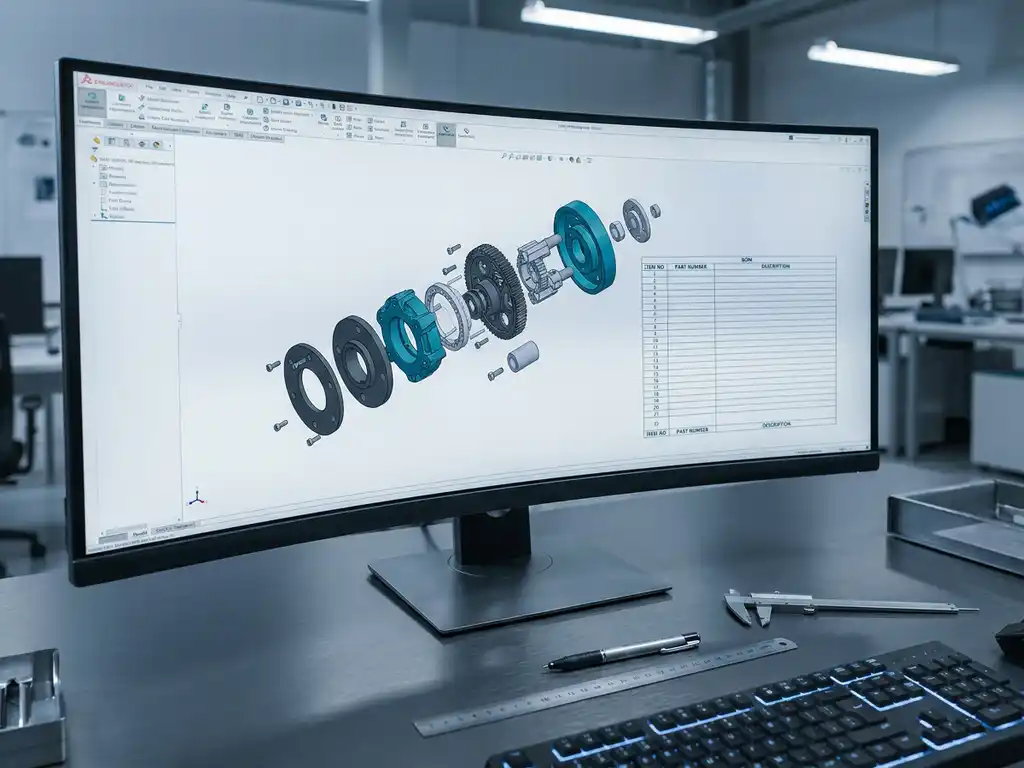
Automatic bill of materials generation works by having the CAD software analyze the 3D model and compile all recognized components, along with their properties, into an organized overview. This process is based entirely on the model data you entered during the design phase, without requiring you to manually compile a list.
The process typically involves several steps. First, you build the 3D model from individual components or parts that you add to an assembly. Next, you assign the desired properties to each part. When you activate the bill of materials (BOM) function, the software reads all the components, counts the quantities, and organizes everything clearly. If you modify the model later, the BOM is automatically updated.
This bidirectional link between the model and the bill of materials is one of the greatest advantages of modern CAD software. You don’t have to make a design change separately in a spreadsheet. The bill of materials always stays in sync with the current state of the model.
What is the difference between a bill of materials and a cutting list in CAD?
A bill of materials and a cutting list are two different outputs, each serving a different purpose. A bill of materials provides an overview of all the parts and materials needed to assemble a product. A cutting list goes a step further and specifies how sheet material or profiles can be optimally laid out to minimize material waste.
In the furniture and interior design industries, both documents are indispensable, but they are used at different stages of the production process:
- Bill of Materials (BOM): Used for purchasing, inventory management, and production planning. It tells you what you need.
- Cutting List: Used on the shop floor and with CNC machines. It tells you how to cut and process the material.
Advanced CAD software for the manufacturing industry can automatically generate both lists from the same 3D model. This means that your purchasing department and your production floor always work with information that comes directly from the design, without any manual steps in between. Combined with industry-specific settings, you can further tailor this output to your production process.
Can an automatic bill of materials be sent directly to an ERP system?
Yes, an automatically generated bill of materials can be sent directly to an ERP system, provided there is an integration between the CAD software and the ERP system. This integration ensures that order management, procurement, and production planning always work with up-to-date design data, without the need to manually retype information.
The technical details of how this integration works vary depending on the software combination. Common methods include:
- Direct API integration: The CAD software communicates in real time with the ERP system via a standardized interface.
- File exchange: The bill of materials is exported as XML, CSV, or another structured format that the ERP system can import automatically.
- Integrated end-to-end solution: CAD and ERP are part of the same platform, so the integration is built in by default.
For companies in the manufacturing industry, effective CAD-ERP integration saves a significant amount of time. Errors caused by duplicate data entry are eliminated, delivery times become more reliable, and production management runs more smoothly. Check out our software solutions to learn more about how CAD and ERP can work together seamlessly.
When is it worth switching to automated bill of materials generation?
Switching to automated bill of materials generation pays off as soon as manually maintaining bills of materials takes more time than it saves, or as soon as errors in the bill of materials regularly lead to production disruptions or incorrect purchase orders. For most companies in the manufacturing industry, that moment comes sooner than expected.
Some clear signs that it’s time to make a change include:
- You regularly spend hours manually converting drawings into Excel spreadsheets.
- Design changes lead to errors in bills of materials that are not discovered until they reach the shop floor.
- Purchasing and production use different versions of the same bill of materials.
- You want to issue quotes faster without compromising accuracy.
- Your product lineup is growing, and managing it manually is becoming increasingly difficult to keep track of.
Even for smaller manufacturing companies, the investment pays for itself quickly. The time saved per design adds up, and the reduction in errors has a direct impact on customer satisfaction and production planning. The more complex your products and the greater the number of variants, the greater the benefit of automation.
How IronCAD Helps Generate Bill of Materials Automatically
IronCAD offers a straightforward solution for anyone who wants to automatically generate bills of materials directly from the drawing environment. The software is particularly well-suited for companies in the furniture and interior design, mechanical engineering, and metalworking industries, and combines design freedom with automated production output.
Here’s what IronCAD actually does for you:
- Automatically generate parts lists, cutting lists, and purchase lists directly from the 3D model.
- Sheet optimization for minimal material waste during production.
- Direct export of NC codes for CNC machines, without manual intervention.
- Seamless integration with ERP software for a fully automated production process.
- An interface that’s easy to learn, so your team can be productive in a matter of days instead of months.
Would you like to know if IronCAD is a good fit for your production process? Feel free to contact us via our contact form, and we’ll explore the possibilities together.