What is the easiest way to generate a cutting list from a 3D model?
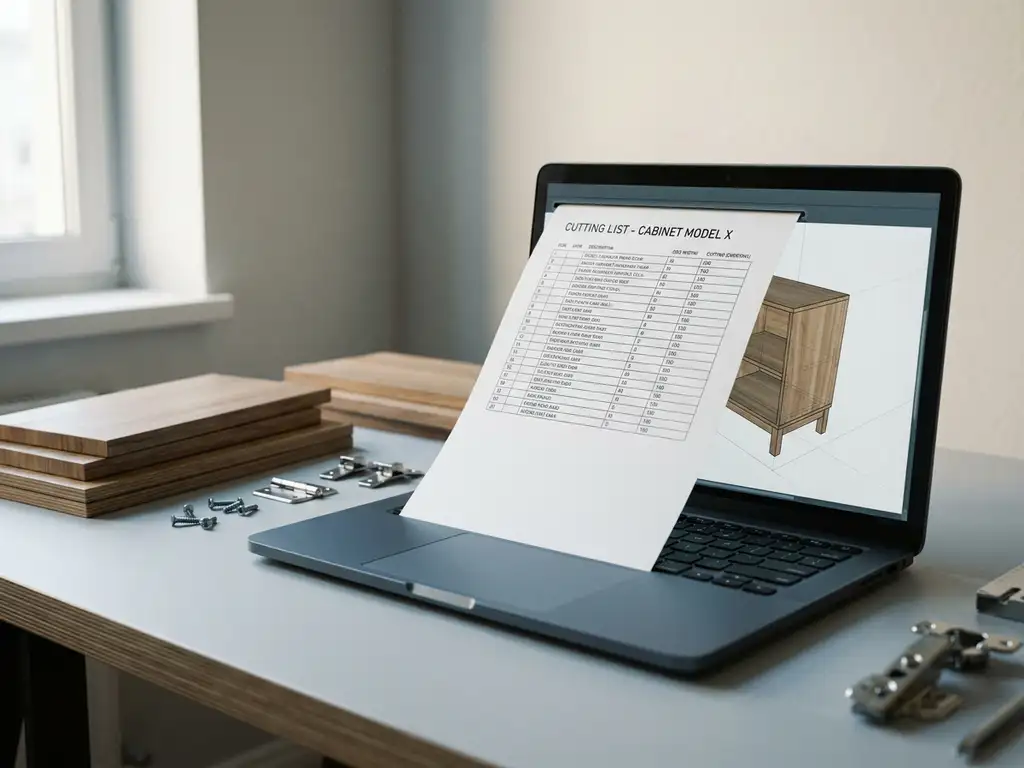
The easiest way to create a cutting list is to have it generated automatically from your 3D model. Modern CAD software reads all the parts from the model, extracts the dimensions, and compiles the cutting list without requiring you to measure or retype anything manually. This works best when the 3D model is correctly constructed with the proper material properties and component structure. In this article, we answer the most frequently asked questions about cutting lists and 3D software.
How is a cutting list automatically generated from 3D software?
A cutting list is generated automatically when the CAD software analyzes all components in the 3D model, reads their dimensions, and compiles them into a structured list. The software recognizes each part as an independent element with length, width, thickness, and material type, and combines that data into a complete cutting list that can be sent directly to the production floor.
The process generally consists of three steps. First, you build the product as an assembled 3D model in which each part is a separate component. Next, you assign the correct material type and dimensions to each component. Finally, you activate the output function, which generates the cutting list based on the model data.
The main advantage of this approach is that the cutting list is always in sync with the design. If you adjust a dimension in the model, the cutting list updates automatically. This eliminates one of the most common errors in production: an outdated or manually updated cutting list that no longer matches the current design.
What information must a 3D model contain to generate an accurate cutting list?
To generate a correct cutting list, the 3D model must contain at least the following information: the exact dimensions of each part (length, width, and thickness), the material type or sheet thickness, a unique component name or part number, and the required quantity per component. If any of this information is missing, the generated list will be incomplete or unusable for the cutting machine.
In addition to the basic data, the model’s component structure is important. Each part that is to be cut separately must be modeled as a distinct object. If multiple parts are drawn as a single geometric entity, the software recognizes them as a single element, and the individual information will be missing from the list.
It is good practice to also include machining information, such as edge finishing or machined sides. Some software can incorporate this directly into the cutting list, so that the production department can see at a glance which additional machining operations are required for each part.
What is the difference between a cutting list and a purchase list?
A cutting list and a material list are two different outputs that can both be generated from the same 3D model. A cutting list describes the individual parts that are cut from sheet material, with the exact dimensions for each part. A bill of materials, on the other hand, groups the required materials by sheet size or profile type and specifies how much raw material you need to purchase to manufacture the entire product.
What information is included on a cutting list?
A cutting list lists each part to be cut separately, along with its net dimensions, material type, quantity, and any required processing steps. The list is intended for the operator at the sawing machine and specifies exactly what needs to be cut.
What’s on a shopping list?
A purchase list translates the cutting list into purchasing requirements. The software calculates how many sheets or profiles of a specific size are needed to cut all the parts, taking into account cutting waste and sheet optimization. This is the list that is sent to the supplier or the warehouse.
Can cutting lists be generated without manual input?
Yes, cutting list generation can take place fully automatically without manual input, provided the 3D model is constructed correctly. The software reads all component data directly from the model and converts it into a structured list. No intervention by the designer is required to retype dimensions or keep track of lists in a spreadsheet.
This is one of the biggest time-saving benefits that modern CAD software offers companies in the manufacturing industry. Traditionally, drafters would manually copy dimensions from drawings into an Excel file. That process was error-prone and time-consuming, especially for products with dozens or hundreds of parts.
Full automation does, however, require a consistent modeling method. If designers within the same company use different modeling approaches, the software cannot always reliably extract all the data. Standardizing the model structure is therefore a practical prerequisite for error-free automatic generation. Proper CAD training helps teams quickly adopt this consistent approach.
Which CAD software automatically generates cutting lists for the manufacturing industry?
There are several CAD packages that support automatic cut list generation for the manufacturing industry. The best choice depends on your industry, the complexity of your products, and the level of integration you’re looking for with other business processes, such as procurement and manufacturing. When making your choice, be sure to check specifically whether the software also supports sheet optimization and NC code export, as these features determine the extent of the automation.
Relevant criteria for selecting software include:
- Automatic component recognition: Does the software recognize each part as an independent element?
- Material Links: Can the software manage material types and sheet thicknesses and link them to components?
- Sheet Optimization: Does the software automatically calculate the most efficient cutting pattern?
- NC code export: Can the output be sent directly to a CNC machine?
- ERP Integration: Does the cutting list align with your purchasing and production planning?
For industries such as furniture and interior design, where custom work is the norm, it is especially important that the software can quickly handle design changes and immediately update the cutting list accordingly. Also check which industries the software specifically supports, as not every package is equally strong in woodworking, metalworking, or plastics processing.
How IronCAD Helps Create Cut Lists Automatically
IronCAD is the CAD solution we offer to companies in the manufacturing industry that want to automate their cutting list process. The software automatically generates all necessary production output directly from the 3D model, without any manual intermediate steps. Specifically, IronCAD offers:
- Automatic cutting lists based on the component structure in the 3D model
- Purchasing lists derived directly from the model data
- Sheet optimization to minimize material waste
- NC code export for direct control of CNC machines
- Seamless integration with our ERP module for a fully automated production process
IronCAD is intuitive and easy to learn, so your team can be productive within days. The software is ideal for furniture and interior designers, as well as other manufacturing companies that work with custom orders and frequent design changes. Want to see how IronCAD simplifies your cutting list process? Contact us, and we’d be happy to show you what the software can do for your business.