What is the best way to present a 3D model during a client meeting?
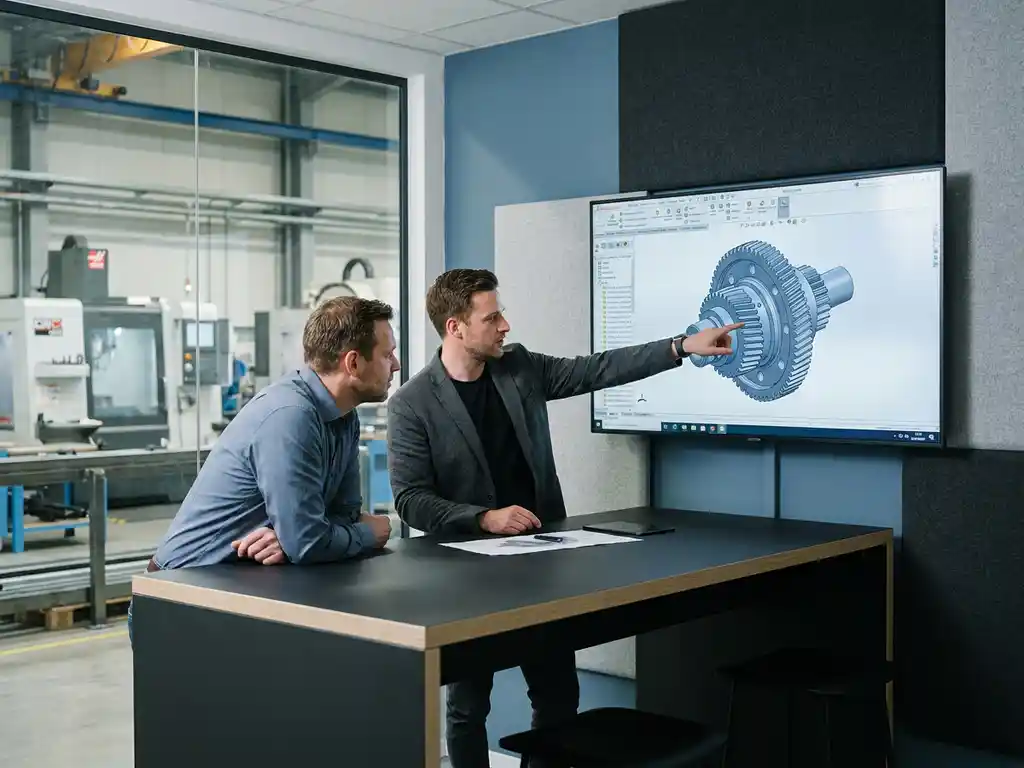
The best way to present a 3D model during a client meeting is to use an interactive view that allows the client to view the design from multiple angles, rather than a static image. This way, the client immediately understands what is being built or created, even without any technical background knowledge. In this article, we answer the most frequently asked questions about professionally presenting a 3D drawing to a client.
Which presentation formats work best for 3D models?
When showing a 3D drawing to a client, interactive 3D viewers and rendered videos work best. They provide a realistic view of the final product and do not require any technical knowledge on the client’s part. Static renders can be useful as a supplement, but they don’t offer the flexibility required for a live conversation.
There are generally three presentation formats you can use:
- Interactive 3D viewer: Customers can rotate the model themselves, zoom in, and view it from all angles. This increases engagement and understanding.
- Rendered images or video: Photorealistic images provide a strong visual representation of the final result. Useful for preparation or as a supplement to a live presentation.
- Live demo in the CAD environment: Ideal if you want to make changes right away. This allows you to demonstrate how flexible the design is and build trust with the client.
The format you choose depends on the complexity of the design and your client’s technical background. For custom projects, such as in furniture or interior design, a combination of an interactive viewer and a live demo is the most effective approach.
How do you prepare a 3D model for a client meeting?
Properly preparing your 3D model for a client meeting means cleaning up the design, simplifying it where necessary, and making sure it looks polished. Remove unnecessary construction elements that might distract the client, and ensure that the materials and colors are accurate.
Specific steps for proper preparation:
- Check the geometry: Make sure there are no loose parts or hidden errors in the model that might stand out during the presentation.
- Set materials and textures: Realistic material rendering helps customers visualize the final product.
- Set up multiple views: Save default camera positions, such as a front view, side view, and perspective view, so you can switch between them quickly.
- Test the presentation beforehand: Walk through the presentation on your own computer or screen and make sure everything works smoothly.
- Prepare different options: If you know a customer is unsure about colors or sizes, display several options side by side.
A well-prepared presentation conveys professionalism and gives the client the impression that serious thought has been given to his or her needs.
What are the advantages of an interactive 3D viewer compared to a static render?
An interactive 3D viewer gives the customer full control over how the model is viewed, while a static render shows only a single, fixed perspective. This difference is crucial during a customer meeting: interaction enhances understanding, builds trust, and increases the likelihood of a deal.
The main advantages of an interactive viewer are:
- Spatial awareness: The customer can rotate the model themselves and immediately see how the parts relate to one another.
- Fewer misunderstandings: Because the customer can view the design from every angle, any ambiguities quickly become apparent and can be discussed.
- Greater engagement: A customer who can interact with a model on their own feels more engaged in the design and decision-making process.
- Faster approval: Less back-and-forth communication about changes, because everything is immediately visible.
Static renders are valuable as marketing or proposal materials, but an interactive presentation clearly offers more value during a live client meeting. This makes all the difference, especially with complex or custom designs.
How do you respond to design changes that a customer requests on the spot?
The best way to handle a request for a change during the meeting is to acknowledge the request immediately, briefly explain its impact, and, if possible, demonstrate the change in real time. This shows that you have a good command of the software and that the design is flexible.
You don’t have to implement every change right away. The key is to reassure the customer that the change is possible. Useful responses in practice:
- Minor adjustments: Make them directly in the model if your software allows it. This makes a strong impression.
- Major changes: Confirm verbally that this is possible, note down the requests, and agree on a time to send an updated version.
- Uncertain adjustments: Be honest. Let them know that you’ll look into it and get back to them. This is more professional than making an uncertain adjustment on the spot.
Always make sure to send a summary of the changes discussed after the meeting, including an updated model or a timeline for those changes. This prevents miscommunication and demonstrates your commitment.
What tools can help you present 3D designs to clients in a professional manner?
There are various tools available for professionally presenting a 3D drawing to a client, ranging from built-in viewer functions in CAD software to standalone presentation platforms. The right choice depends on how you work and what your client expects.
Common options include:
- Built-in viewer in your CAD software: Many modern CAD packages offer a presentation mode that lets you display your design directly without having to export it.
- PDF with 3D content: Adobe PDF supports embedded 3D models, which are useful to send in preparation for a meeting.
- Web-based 3D viewers: Platforms such as Sketchfab or similar tools let you share a model online via a link, accessible without installation.
- Screen Sharing During Video Conferences: During online meetings, screen sharing is a simple yet effective way to give a live demo.
- Rendering software: For photorealistic images to complement your presentation.
Ideally, choose a tool that requires minimal preparation on the customer’s part. The lower the barrier to viewing the model, the greater the chance that the customer will focus entirely on the design rather than on technical obstacles. Want to learn more about which CAD solutions are right for this? Check out our offerings.
How IronCAD Helps Present 3D Designs to Clients
IronCAD is specifically designed to make the design process fast, flexible, and visually compelling, making it ideal for client presentations. Whether you’re a furniture manufacturer or work in mechanical engineering, IronCAD offers practical benefits that directly contribute to a professional presentation:
- Live adjustments during the conversation: Thanks to the intuitive interface and the absence of complex history trees, you can quickly adjust the model based on the client’s request.
- Realistic rendering: IronCAD offers powerful visualization capabilities that let you display materials, colors, and textures directly in the model.
- Flexible design environment: Late-stage changes are no problem, which gives confidence to clients who are still unsure about the details.
- Fast learning curve: New users can be productive within a few days, so your team can quickly create professional presentations.
- Integration with production output: Once approved, the software automatically generates cutting lists, purchase lists, and NC codes, which speeds up the transition from design to production.
Would you like to see how IronCAD can take your client meetings to the next level? Contact us for a no-obligation demo.