
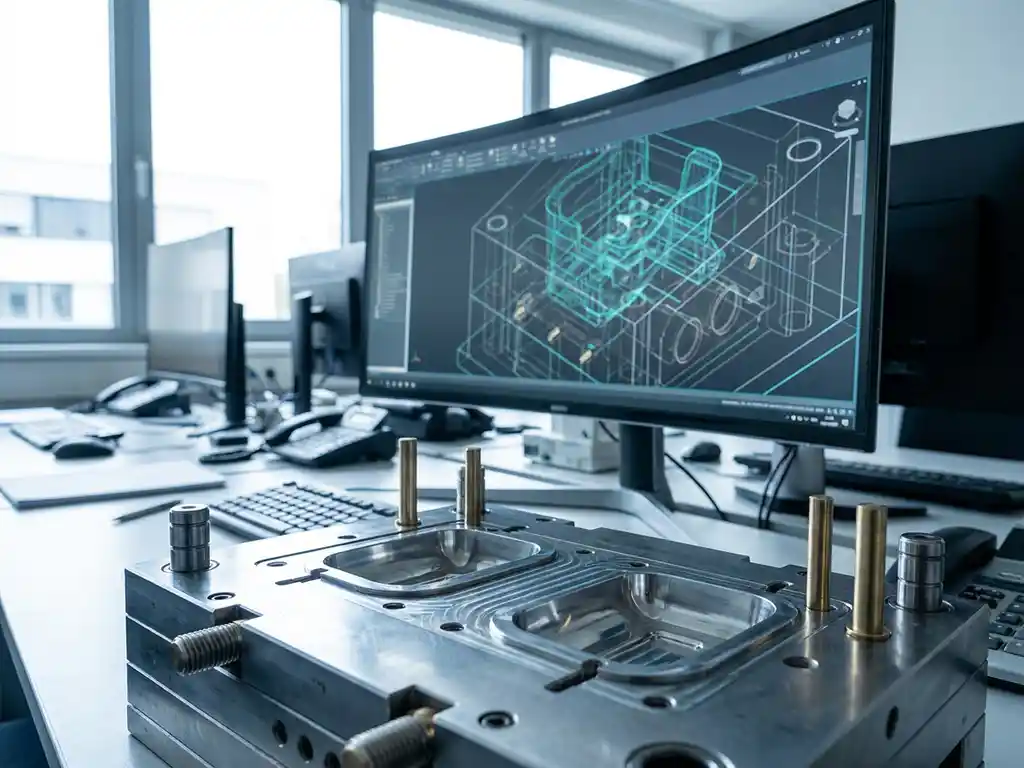
Can CAD software format plastic injection molding designs for production?
Yes, CAD software can fully prepare plastic injection molding designs for production. Modern CAD systems offer specialized tools for the design of injection molded parts, including wall thickness analysis, draw angle control and the automatic generation of production files, such as NC codes and bills of material. If you have questions about options for your specific production process, please feel free to contact us.
Missing wall thickness control causes costly production errors
Without integrated wall thickness analysis in your CAD software, problems such as shrinkage cavities, stresses and uneven filling occur during the injection molding process. These manufacturing errors lead to 15-30% failure of your parts, increasing your material costs and putting pressure on delivery times. By choosing CAD software with built-in injection molding validation, you can detect and prevent these problems as early as the design phase.
Manual file conversion significantly slows down your turnaround times
Manually converting CAD designs to production files takes you an average of 2-4 hours per part and introduces errors into the process. This waste of time translates directly into higher engineering costs and a longer time-to-market for new products. Modern CAD software with automated output can reduce this conversion time to minutes and eliminate human error in the process.
What is CAD software for plastic injection molding designs?
CAD software for plastic injection molding design is specialized 3D design software with tools for developing parts suitable for the injection molding process. This software integrates design rules, material knowledge and production validation to create optimal injection molded parts.
The software is distinguished from general CAD tools by specific functionalities for the plastics industry. These include automated wall thickness checking, draw angle validation and shrinkage compensation. These functions ensure that your designs are immediately suitable for production, without costly retrofitting.
For companies in mechanical engineering and other industries, this means a significant shortening of the development cycle. You can iterate faster, minimize production risks and increase the quality of your final products.
How does the design process of injection molded parts work in CAD?
The design process begins with 3D modeling of the desired part, followed by the application of injection molding-specific design rules. The software automatically checks for critical factors such as wall thickness, draw angles and material flow to ensure production suitability.
The process follows a structured approach:
- Creating concept design with basic 3D geometry
- Application of material-specific properties
- Wall thickness optimization for even filling
- Pull angle control for easy deformation
- Validation of material flow and cooling
- Generation of production files
Modern CAD systems provide real-time feedback during the design process. If you make a change that affects manufacturability, you get an immediate alert. This prevents you from discovering only at the end of the project that your design is not producible.
What CAD functions are essential for injection molding designs?
Essential CAD features for injection molding designs include wall thickness analysis, automatic draft angle generation, material flow analysis, shrinkage compensation and integrated Design for Manufacturing (DFM) controls. These tools ensure that your designs are optimally suited for the injection molding process.
Wall thickness analysis is crucial because uneven wall thicknesses lead to stresses and deformations. The software should allow you to quickly generate thickness maps and identify problematic areas. Ideally, the wall thickness should be between 1 and 4 mm, depending on the material and application.
Automatic draw angle generation saves an enormous amount of time. The software automatically applies the correct angles (usually 0.5-2 degrees) to vertical surfaces to make de-forming easier. For complex geometries in metalworking, this can save hours of design work.
Shrinkage compensation is an advanced feature that automatically adjusts the design for the shrinkage that occurs during cooling. Different plastics shrink differently, and the software must be able to handle these material-specific properties.
Can CAD software automatically generate production files for injection molding?
Yes, advanced CAD software can automatically generate all necessary production files, including NC codes for CNC machining, bills of materials, engineering drawings and quality control reports. This eliminates manual conversions and significantly reduces the lead time from design to production.
Automatic generation works by applying predefined templates and production rules to your 3D model. The software recognizes features such as holes, grooves and surface finishes and automatically translates them into appropriate machining instructions.
For injection molds, the system generates specific outputs, such as:
- Electrode paths for spark erosion
- Milling programs for mold cavities
- Cooling channel drilling
- Assembly instructions for mold components
This automation is especially valuable for companies working with standard products or families of similar parts. You can develop production templates that are reusable for similar projects.
Which CAD software is best for plastic injection molding designs?
The best injection molding design CAD software combines powerful 3D modeling tools with specialized injection molding functionality, intuitive operation and seamless integration with production systems. The choice depends on your specific manufacturing processes, team size and budget.
Key selection criteria are the availability of injection molding-specific tools, the learning curve for your team and the potential for customization. Software that is flexible in configuration is a better fit for companies with varied product portfolios.
For many companies in the manufacturing industry, integration with existing systems is also crucial. Your CAD software must be able to communicate with your ERP system, production planning software and quality management systems. This prevents duplicate data entry and reduces errors.
The availability of training and support is an often underestimated aspect. Even the best software is worthless if your team cannot work effectively with it.
How do you integrate CAD injection molding designs with production planning software?
Integration is done through standardized file formats and API links that enable automatic data exchange between CAD systems and production planning software. This ensures real-time synchronization of design changes, material requirements and production capacity.
Integration begins with establishing a common data structure. Your CAD designs should contain information directly usable by production planning software, such as material types, machining times and quality requirements.
Modern integration solutions offer bidirectional communication. Changes in production capacity or material inventory can be automatically fed back to the design team. This helps make realistic design choices that match available production capabilities.
For companies in kitchen construction and interior design, where customization is the standard, this integration allows for faster quote generation and more accurate delivery time planning.
How IronCAD helps with plastic injection molding designs
IronCAD offers a complete solution for designing plastic injection molded parts, with advanced 3D modeling tools and integrated production validation. The software combines intuitive operation with powerful analysis functions, allowing you to design faster and more reliably.
Key benefits of IronCAD for injection molding designs:
- Integrated wall thickness analysis and DFM controls.
- Automatic generation of production files and NC codes
- A flexible modeling approach that fits your workflow
- Seamless integration with ERP systems for complete process automation
- An extensive material library of plastic-specific properties
Whether you’re working on complex engineering parts or standard products, IronCAD helps you go from concept to production faster. The software grows with your business and can be customized to your specific manufacturing processes. Want to see how IronCAD can improve your injection molding designs? Contact us for a personal demonstration.


