
How do you check the strength of designs in CAD software?
In manufacturing, one design error can cost thousands of dollars. A machine part that fails under normal load, a structure that is heavier than necessary, or a product that must be recalled because of structural problems. These scenarios are avoidable with proper strength analysis during the design process.
Modern CAD software provides powerful tools to check the mechanical properties of your designs before they reach the production floor. From simple stress calculations to advanced simulations, there are several methods to validate the strength of your designs. In this article, you’ll discover what techniques are available, how to apply them, and what pitfalls to avoid for reliable results.
Why strength analysis is crucial in modern CAD designs
Releasing a product without thorough strength validation is like driving a car with a blindfold on: you won’t know if it’s doing well until it’s too late. In the manufacturing industry, the consequences of structural defects can be far-reaching.
The financial impact of design defects manifests itself at several levels. Product recalls cost, on average, ten times as much as fixing problems in the design phase. In addition, undersizing leads to safety risks and liability claims, while oversizing results in unnecessary material costs and weight gain.
Early detection of weaknesses not only saves money, but also significantly shortens time-to-market. By detecting potential problems in the virtual environment, you avoid costly iterations of physical prototypes and shorten the development cycle.
For companies in industries such as mechanical engineering and furniture manufacturing, product reliability is a crucial competitive factor. Customers expect products that perform as promised, regardless of the conditions of use. Strength analysis helps meet these expectations by providing insight into the behavior of materials under different loading conditions.
What methods exist for strength checking in CAD?
CAD software offers several approaches to strength analysis, each with specific scopes and levels of accuracy. Choosing the right method depends on the complexity of your design and the desired precision.
Finite Element Analysis (FEA) forms the backbone of modern strength simulations. This method divides complex geometries into thousands of small elements and calculates stresses and deformations for each element. FEA is particularly suitable for designs with complicated shapes or varying loads.
Stress simulations offer a more accessible variant for standard applications. These tools quickly calculate stress distribution in parts under static loads. For many industrial applications, they provide sufficient accuracy without the complexity of full FEA analyses.
Real-time feedback tools integrate strength checks directly into the design process. While you are designing, you get immediate visual feedback on critical areas. This approach prevents you from spending hours on designs that are structurally infeasible.
Modern CAD software often combines multiple analysis methods in a single platform. This gives designers the flexibility to switch between quick checks during conceptual design and detailed analyses for final validation.
Step-by-step: performing strength analysis in CAD software
Conducting a reliable strength analysis requires a systematic approach. Every part of the process affects the accuracy of your results.
Start by defining material parameters. Enter appropriate values for modulus of elasticity, tensile strength and density of your chosen material. Always use certified material data from suppliers rather than estimated values from manuals.
Creating realistic load scenarios is the next crucial step. Analyze how your product will be used in reality and translate this into forces, moments and pressures in the software. Consider static loads, dynamic forces and extreme use situations.
Next, define the constraints by defining which parts of your design are fixed and where movement is possible. These constraints determine how forces are directed through the structure and directly influence the stress distribution.
Running the simulation itself is usually automated, but always check that the calculation converges to a stable solution. Pay attention to warnings about elements of poor quality or unrealistic deformations.
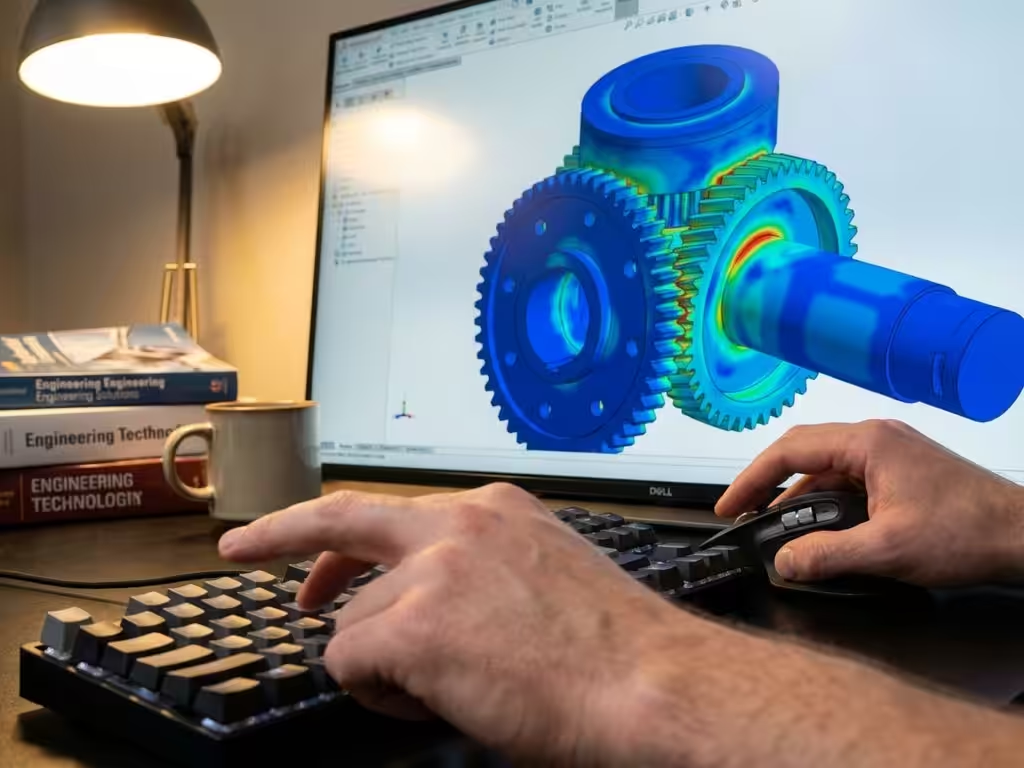
When interpreting results, focus on the maximum stresses and compare them to the allowable values for your material. Visualize the stress distribution with color charts to identify hot spots and assess whether deformations are within acceptable limits.
Avoiding common mistakes in CAD strength calculations
Even experienced designers sometimes make fundamental mistakes that undermine the reliability of strength analyses. Recognizing these pitfalls will help you make better decisions.
One of the most common mistakes is using the wrong material parameters. Entering values for rolled steel while using a cast material can lead to dangerous underestimates of actual stresses. Always check that the material data matches your actual material selection and processing method.
Unrealistic load scenarios are another common mistake. Modeling only nominal loads, without considering peak loads or dynamic effects, gives a distorted view of actual performance. Consider situations such as sudden stops, vibrations or temperature changes.
Ignoring safety factors is particularly risky in critical applications. Even if your calculations indicate that a design is just strong enough, you must account for material variations, manufacturing tolerances and unforeseen loads. Always apply a safety factor that fits your application.
Poor mesh quality can lead to inaccurate results. Elements that are too coarse miss local stress peaks, while meshes that are too fine take unnecessary computing time without significant improvement in accuracy. Gradually refine your mesh until results stabilize.
How IronCAD helps with strength analysis for the manufacturing industry
IronCAD seamlessly integrates strength analysis into the design process, enabling Dutch manufacturing companies to design faster and more reliably. The software combines intuitive operation with powerful analysis capabilities.
IronCAD’s key benefits for strength validation:
- Real-time feedback during design prevents structural problems early on
- Integrated material library with Dutch and European standards
- Automatic reporting for quality documentation and certification
- Seamless interfacing with ERP systems for cost calculations
- Specific tools for applications in the furniture industry and mechanical engineering
For companies in the manufacturing industry looking to optimize their design process with reliable strength analysis, IronCAD offers the perfect combination of ease of use and functionality. Find out how IronCAD can solve your design challenges and contact us for a personal demonstration.


