
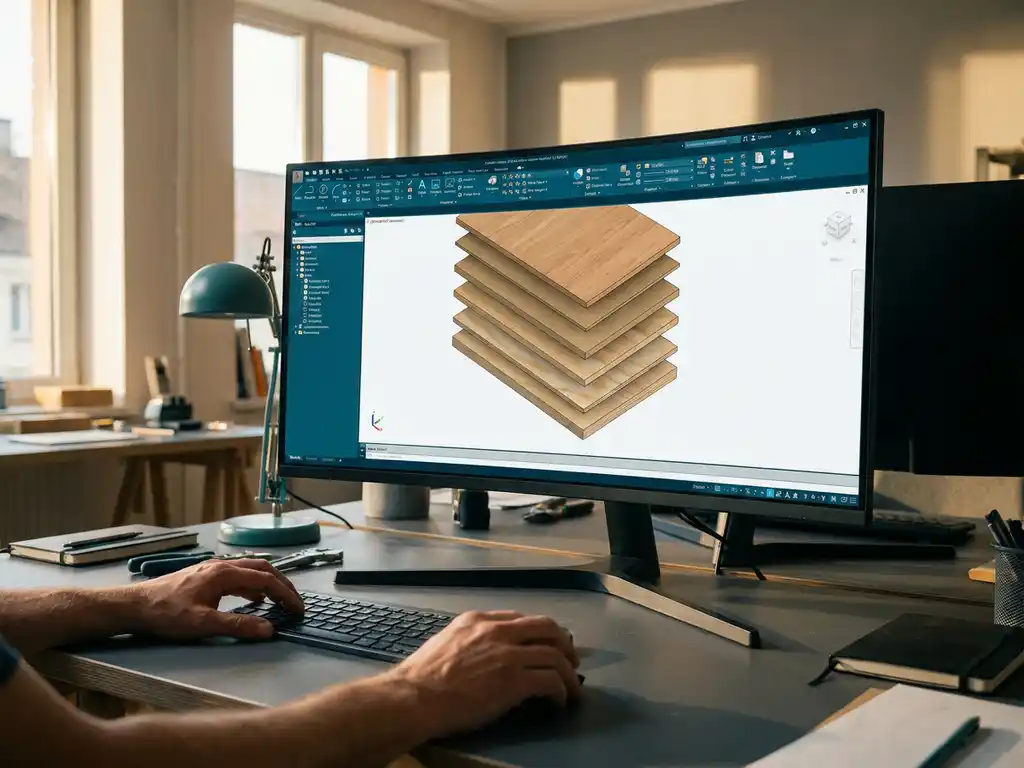
How do you process MDF and plywood panels efficiently in CAD software?
Efficient processing of MDF and plywood panels in CAD software requires the right material parameters, specialized panel processing functions and saw pattern optimization. Modern woodworking CAD software offers automatic saw list generation, material optimization and seamless integration with manufacturing processes. If you have questions about the best approach for your specific situation, please feel free to contact us.
Wrong material parameters cost you valuable time and material
When you process MDF and plywood panels with standard CAD settings, you run into problems with sawing losses, incorrect thicknesses and unrealistic production times. This leads to incorrect calculations, under-ordered material and production delays. The solution lies in correctly setting material-specific parameters, such as saw width, edge trim and standard panel dimensions, before you start designing.
Making manual saw lists will cost you hours you don’t have
Creating saw lists and material calculations manually for complex multi-panel projects is time-consuming and error-prone. One incorrectly calculated dimension can lead to material waste or a second order. Use CAD software with automatic saw list generation that calculates all required materials and dimensions directly from your 3D design, including saw losses and optimal panel layout.
What are the main challenges in CAD processing MDF and plywood?
The biggest challenges are setting material parameters correctly, managing different panel thicknesses and optimizing material usage. MDF and plywood have specific properties, such as sawing losses, edge finishes and standard panel sizes, that affect design.
When working with panels, you must take into account the limited standard sizes of suppliers. Whereas solid wood can be basically any size you want, panels are bound to standard sizes such as 2440 × 1220 mm or 3050 × 1220 mm. This affects your design choices and requires smart layout to avoid waste.
Another key challenge is managing multiple panel thicknesses within a single project. Kitchen construction and interior design projectsoften use multiple thicknesses for different components, requiring complex assembly and joining details.
How to set material parameters correctly for MDF and plywood panels?
First, set the cutting width to 3-4 mm for circular saws and 1-2 mm for format saws. Define standard panel dimensions by supplier and set edge finishing parameters such as edge band thickness and oversize for gluing and milling.
Start by creating a material library in which you define the properties for each type of panel. For example, for MDF you set: density 750 kg/m³, standard thicknesses 6, 9, 12, 15, 18, 22, 25 and 30 mm, and standard panel sizes. For plywood, properties vary by wood species and number of layers.
Setting machining parameters is also important. Define oversizes for different operations: 2 mm extra for sanded edges, 1 mm for milled grooves and 0.5 mm for laminated surfaces. These parameters ensure that your automatically generated cutting lists are immediately usable in production.
What CAD functions are essential for efficient panel processing?
Essential features include automatic saw list generation, material optimization for sheet layout, parametric panel libraries and direct interfacing to CNC machines. These features automate the design process and eliminate manual calculations.
Good panel CAD software offers intelligent assembly features that automatically suggest the right joints based on material thickness and application. Consider automatic pin-hole connections, hinge positioning and hardware placement that are customized to specific panel properties.
In addition, visualization features are crucial for client communication. Realistic rendering of wood grain, edge trim and hardware helps present designs. Exploded views and assembly instructions are indispensable for production and assembly.
What automation options are available?
Modern CAD software can automatically generate NC codes for CNC machines, calculate optimal cutting patterns to minimize material wastage, and produce complete working drawings, including all necessary dimensions and machining instructions.
How do you optimize material use when designing with panels?
Optimize material usage by aligning designs with standard plate sizes, use smart nesting algorithms for cutting patterns and group parts of the same thickness. Plan remainders for smaller parts and minimize sawing losses through efficient layout.
Always start your design with the available plate sizes in mind. A 2400 mm wide cabinet fits perfectly on a standard 2440 mm plate, while 2500 mm requires a second plate with lots of waste. Small adjustments to the design can yield big savings in material costs.
Use software that automatically calculates how best to arrange parts on boards. Advanced algorithms take into account wood grain direction, sawing losses and the possibility of using leftover parts for smaller parts. This can reduce material waste from 20% to less than 5%.
What is the difference between generic CAD and specialized woodworking software?
Specialized woodworking software offers automatic saw list generation, material optimization, built-in hardware libraries and direct production output. Generic CAD requires manual calculations and lacks industry-specific features for efficient panel processing.
Generic CAD software such as AutoCAD or SolidWorks is designed for general engineering drawings and 3D modeling. For woodworking, you miss essential features such as automatic material calculations, standard joint details and optimization for panel use. You have to calculate and draw everything manually.
Specialized software integrates the complete production process: from design to saw list, from material ordering to CNC programming. The software “understands” woodworking and automatically applies the correct tolerances, joints and operations. Other specialized modules are available for mechanical engineering and metalworking.
How IronCAD helps with efficient panel processing
IronCAD offers a complete solution for efficiently processing MDF and plywood panels, with intelligent automation that speeds up your production process. The software combines powerful 3D design capabilities with specialized woodworking functions:
- Automatic saw list generation directly from your 3D design
- Intelligent material optimization that minimizes waste
- Built-in hardware libraries for fast assembly
- Direct CNC code output for seamless production
- Realistic visualization for customer presentations
With more than a decade of experience in the manufacturing industry, we understand the specific challenges of panel processing. Our training courses help your team take full advantage of all the features. Want to experience for yourself how IronCAD can improve your panel processing? Contact us for a personal demonstration and find out how your production process can be optimized.


