
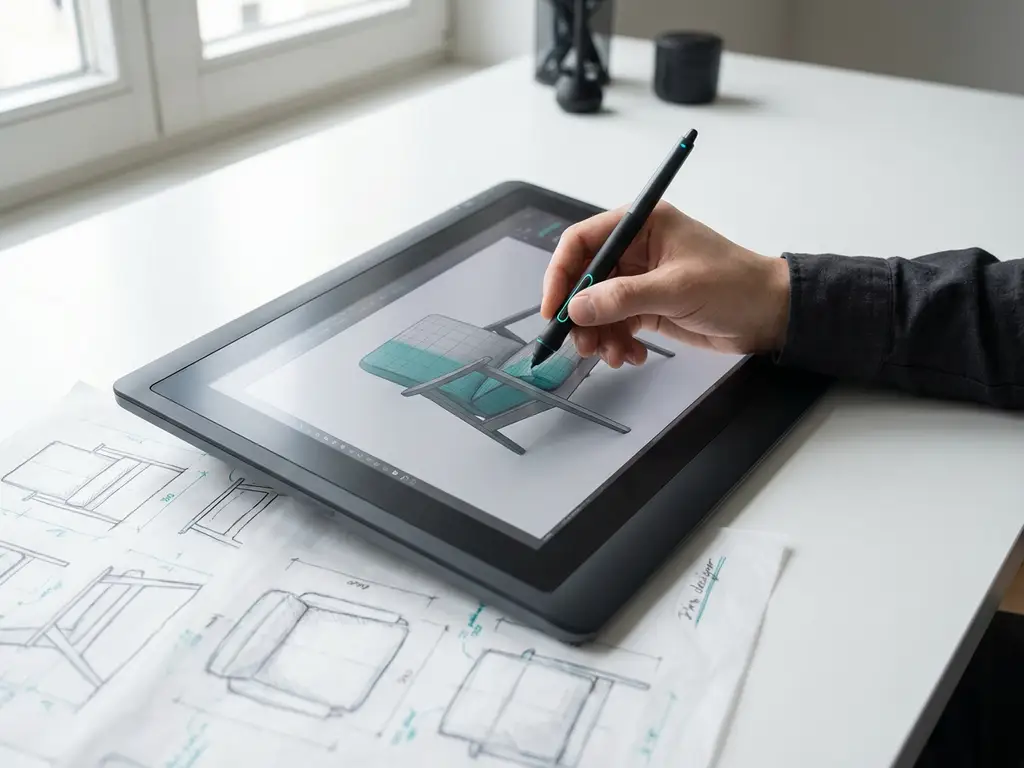
How long does the transition from 2D to 3D drawing take?
The transition from 2D to 3D drawing is an important step for many companies in the manufacturing industry. This transition brings new opportunities, but also raises questions about timing, training and implementation. The duration of such a transition depends on several factors and requires a thoughtful approach.
In this article, we answer the most frequently asked questions about the length of time it takes to migrate from 2D to 3D and provide practical tips for a successful transition to modern 3D drawing software.
What exactly does the switch from 2D to 3D drawing involve?
Moving from 2D to 3D drawing means replacing traditional flat drawings with three-dimensional digital models that can be viewed and edited from all angles. This transition involves implementing new software, training employees and adjusting work processes.
In 2D drawing, you work with lines, circles and other flat elements to create technical drawings. 3D drawing, on the other hand, allows you to create complete digital prototypes that reflect reality much more accurately. You can rotate objects, create sections and assign materials to different parts.
The transition also requires converting existing 2D files to 3D formats, establishing new drawing standards and adjusting communications with suppliers and customers. Many companies choose to transition gradually, temporarily using both systems side by side.
How much time does it take to train employees in 3D CAD?
Training employees in 3D CAD takes an average of 2 to 6 months, depending on their experience with CAD software and the complexity of the new tools. Experienced 2D draftsmen can often become productive in the basic functions of 3D software within 4 to 8 weeks.
For beginners without CAD experience, a longer training period of 3 to 6 months is needed to develop sufficient proficiency. The first 2 weeks usually focus on learning the interface and basic functions, followed by hands-on exercises with real projects.
Many companies opt for phased training in which employees first learn the basics, then master advanced features, and finally practice company-specific workflows. Regular practice sessions and guidance from experienced users greatly accelerate the learning process.
What factors determine the duration of a migration from 2D to 3D?
The duration of a migration from 2D to 3D is determined by the size of the team, the complexity of existing projects, the software chosen, and the time available for training. A small team of 3-5 draftsmen can be fully transitioned within 3-6 months, while larger organizations require 6-12 months.
The main factors affecting migration duration are:
- Team size: More employees means more training time and coordination.
- Existing CAD experience: Teams with 2D CAD knowledge transition faster.
- Project complexity: Simple products require less training than complex assemblies.
- Software selection: Intuitive programs shorten the learning curve.
- Available Training Time: Full-time training is faster than training alongside regular work.
- Data conversion: converting existing 2D files can take weeks to months.
The extent to which work processes are modified also plays a role. Companies that overhaul their entire workflow require more time than organizations that replace only the drawing software.
How do you plan a successful transition to 3D design?
Plan a successful transition to 3D design by taking a phased approach, starting with a pilot project, followed by team training and a gradual rollout to all projects. Start preparation and software selection 3-6 months before the planned implementation.
Preparation and planning
Start by taking stock of your current 2D files and determine which projects are suitable for conversion. Assemble a project team with experienced drafters, IT specialists and project managers. Create a realistic schedule with clear milestones and buffers for unforeseen delays.
Software selection and pilot
Choose software that fits your business needs and start with a 4-6 week pilot project. Test the chosen 3D CAD software with a representative project and evaluate the results. Also use this period to intensively train the first employees.
Phased rollout
Gradually roll out the software to all teams, starting with the most motivated employees. Plan overlap between 2D and 3D systems to ensure continuity. Provide ongoing support and training for the first 6 months after implementation.
What are the biggest challenges in moving to 3D CAD?
The biggest challenges in moving to 3D CAD are resistance to change among employees, the time required for training and data conversion, and the temporarily lower level of productivity during the transition period. Many teams experience frustration because familiar 2D workflows are not immediately translatable to 3D environments.
Common challenges include:
- Learning curve: Employees need time to develop new ways of thinking.
- Productivity dip: Temporary delays in projects during the transition phase.
- Data migration: Complex conversion of existing 2D files.
- Cost: Investment in software, hardware and training.
- Workflow modifications: Review of existing processes and procedures.
- Quality control: new control methods for 3D models.
Many companies also underestimate the impact on collaboration with external parties, such as suppliers and customers, who may not yet be ready for 3D files. A good communication strategy and a gradual transition help overcome these challenges.
How IronCAD helps transition to 3D drawing
IronCAD accelerates the transition from 2D to 3D drawing thanks to its intuitive interface and unique drag-and-drop functionality. The software combines the best elements of different CAD approaches into one platform, significantly shortening the learning curve compared to traditional CAD systems.
Key benefits of IronCAD for your 3D transition:
- Fast learning curve: Intuitive tools that connect to natural thought processes.
- Flexible design: Combination of parametric and direct modeling in one environment.
- Efficient workflow: Automatic generation of saw lists, plate optimization and NC codes.
- Seamless integration: Perfect connection with ERP systems for complete automation.
- Custom support: Ideal for industries such as furniture and interior design.
IronCAD makes the transition to 3D drawing smoother and faster than traditional CAD software. Want to know how IronCAD can help your company transition to 3D? Contact us for a personal demonstration and tailored advice.


