
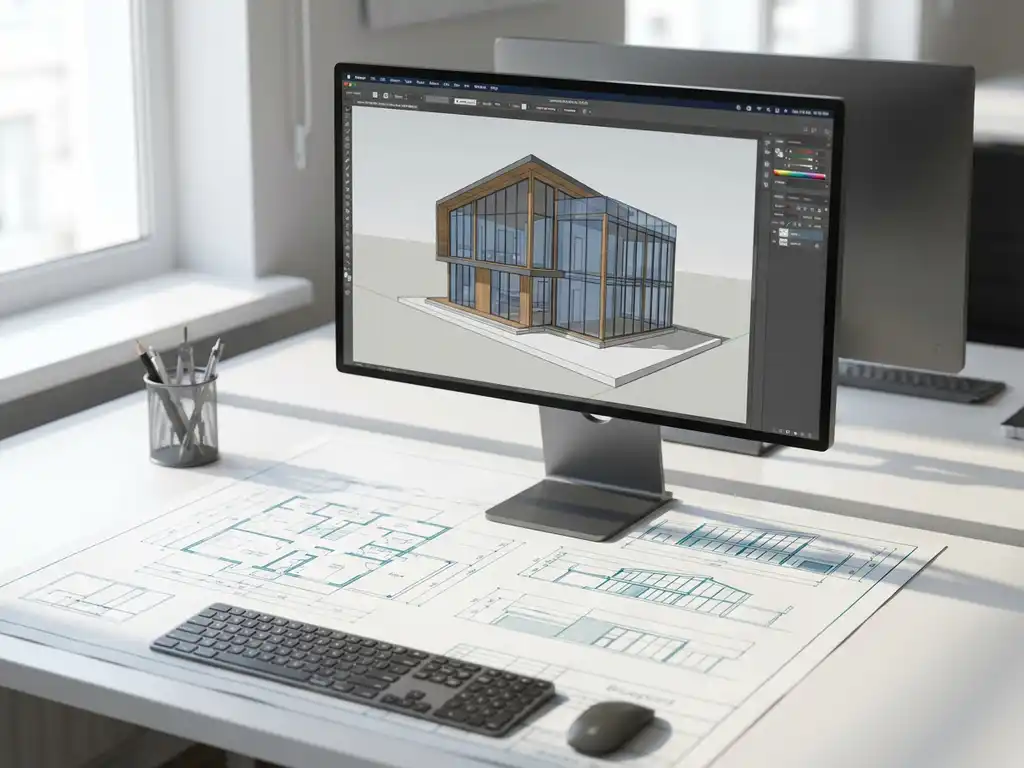
What is the difference between 2D and 3D CAD?
The difference between 2D and 3D CAD software is in the way you design and visualize. 2D CAD works with flat drawings and lines, while 3D CAD creates full spatial models. For companies in the manufacturing industry, this means the difference between traditional technical drawing and modern product visualization, with all its benefits.
What is actually the difference between 2D and 3D CAD software?
2D CAD software works with flat drawings where you draw lines, circles and shapes on a plane, just like traditional engineering drawing. 3D CAD software, on the other hand, lets you build complete spatial models, where you can view and manipulate objects from all sides.
In 2D CAD, you design in two dimensions and create engineering drawings with top views, side views and cross-sections. You work with lines, arcs and geometric shapes to represent your product. This is similar to drawing on paper, but digitally.
3D CAD software lets you create real three-dimensional models. You build objects by extruding, rotating and combining shapes. The result is a virtual prototype that you can rotate, zoom in and view from all sides. From this 3D model, you can automatically generate all the necessary 2D drawings.
For companies in the manufacturing industry, this means in practice that 3D CAD offers many more opportunities for product design, visualization and communication with customers and suppliers.
What advantages does 3D CAD offer over traditional 2D drawing?
3D CAD software offers better visualization, faster design processes and fewer errors than 2D drawing. You can instantly see how parts fit together and automatically generate engineering drawings from your 3D model.
The main advantages of 3D CAD are:
- Better visualization: You instantly see what your product looks like and can easily show it to customers.
- Fewer design errors: Collisions between parts can be seen immediately in the 3D model.
- Faster changes: Adjustments to the 3D model are automatically made to all drawings.
- Automatic documentation: Technical drawings, cutting lists and other output are generated automatically.
- Better communication: Customers and suppliers understand 3D visualizations better than technical drawings.
Specifically, for the manufacturing industry, this means that you can design faster, make fewer mistakes and communicate better about your products. This results in shorter lead times and satisfied customers.
For which companies is 3D CAD software such as IronCAD the best choice?
3D CAD software is especially valuable to companies in the manufacturing, furniture and interior design industries, where customization and complex assemblies are the norm. Companies that make regular modifications to their products benefit the most.
Specific business types that benefit greatly from 3D CAD software are:
- Furniture makers: For designing cabinets, kitchens and custom furniture.
- Machine builders: For complex assemblies and engineering products.
- Interior Industry: For spatial designs and furnishings.
- Product designers: For developing new products.
- Prototype builders: For visualizing concepts.
If your company regularly does custom work, makes complex products or spends a lot of time explaining designs to customers, 3D CAD software is a logical choice. It helps you appear more professional and work more efficiently.
How do you make the transition from 2D to 3D CAD in your business?
Moving to 3D CAD requires a step-by-step approach, with attention to software implementation, employee training and gradual integration into your work processes. Plan at least 3 to 6 months for a complete transition.
Follow these practical steps for a successful transition:
- Evaluate your current situation: Determine which drawings and processes you want to improve.
- Choose appropriate software: Select CAD software that fits your industry and workflow.
- Start with training: Invest in proper training for your employees.
- Start with simple projects: Test the new software first on less complex designs.
- Integrate gradually: Transfer all processes to 3D CAD step by step.
- Evaluate and optimize: Adjust your methods based on your experiences.
It is important to keep your old 2D systems still available during the transition until everyone is familiar with the new software. Also schedule extra time for initial projects, as there is a learning curve.
How IronCAD is helping with the move to 3D CAD
IronCAD offers an easy-to-use 3D CAD solution designed specifically for companies in the manufacturing industry. The software combines powerful 3D design capabilities with an intuitive interface that eases the transition from 2D to 3D CAD.
Concrete benefits of IronCAD for your business:
- Drag-and-drop functionality: Simple design without complex commands.
- Automatic drawing sheet generation: Technical drawings are automatically created from your 3D model.
- Integrated parts library: Standard parts readily available.
- Flexible design approach: Adapts to your workflow.
- Seamless integration: Works with ERP systems for complete automation.
We guide you through the entire implementation, from software installation to training your employees. This way you make the transition to 3D CAD design without loss of productivity. Contact us for a no-obligation demonstration and advice on the best approach for your company.


