FEA simulation in IronCAD with Multiphysics
Simulations are increasingly becoming part of the design process. Yet they are still often performed in separate software, separate from the CAD model. That creates extra steps and makes iterating less efficient.
Multiphysics for IronCAD makes it possible to run simulations directly within your CAD environment. In this blog, we’ll show you what that means in practice and when to use it.
Simulation as part of your design
In many workflows, simulation is used later, for example, to check a design before it is produced.
By using simulation earlier, you get a quicker understanding of how a design behaves. That makes it easier to make adjustments and substantiate choices.
The advantage of an integrated solution is that you don’t have to switch between different tools. You work in the same model you design in.
What does Multiphysics do in IronCAD?
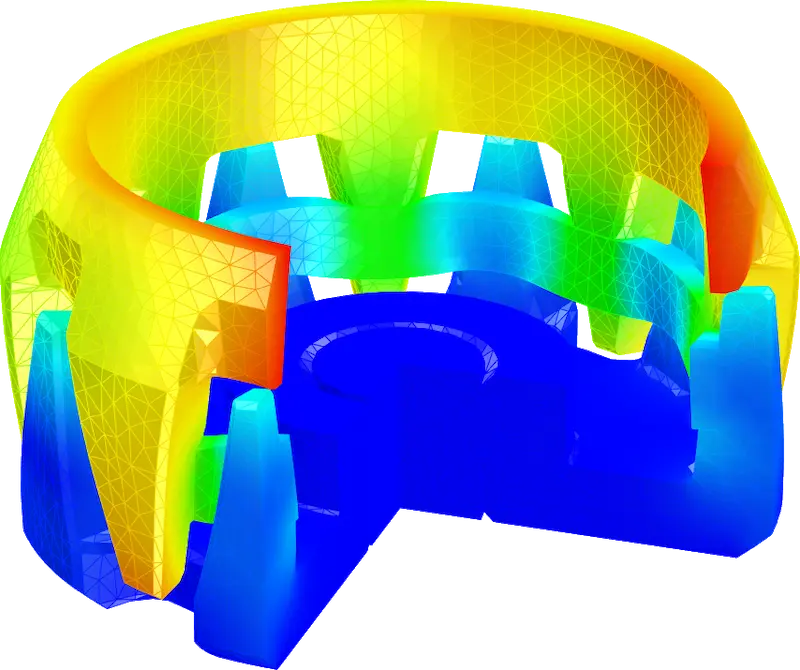
Multiphysics is an FEA (Finite Element Analysis) simulation add-on within IronCAD. It allows you to perform different types of analysis, such as stress and deformation analysis, as well as thermal or dynamic simulations.
Because the simulation remains linked to the model, changes are automatically accounted for. This makes it easier to compare variants and implement iterations.
How does that work in practice?
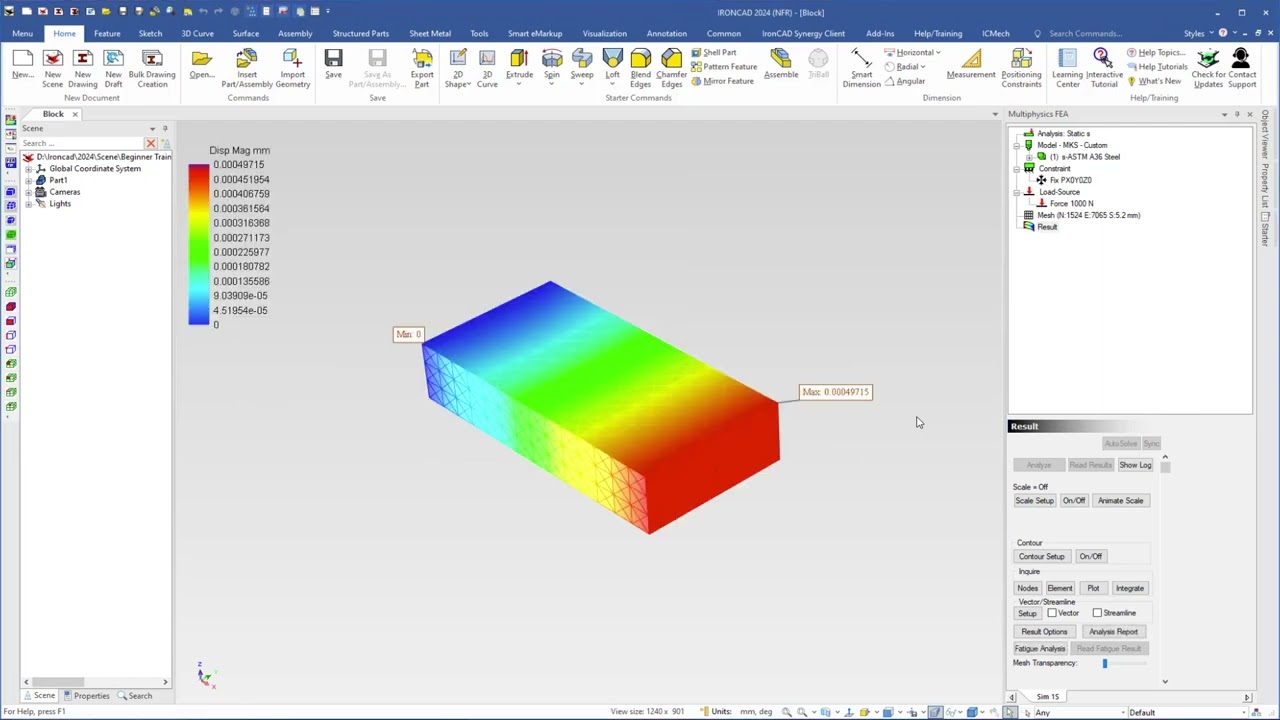
Basically, it comes down to preparing a model for analysis by adding material, loads and boundary conditions. Then a calculation can be performed and the results visually displayed.
Exactly what this looks like varies by application and model. In some cases it involves a quick check, in other situations a more extensive analysis.
See what this looks like in IronCAD
The video below shows how a simulation is set up and analyzed within IronCAD. The video gives a good idea of how simulation takes place directly in the model and how results are displayed.
When is this interesting to use?
Simulation within your CAD environment is especially interesting when you:
- Want to iterate faster during design
- Want to gain insight without external software
- Want to compare multiple design variants
- Want to validate earlier in the process
It helps get to a well-founded design faster.
From analysis to design decisions
Integrating simulation into your workflow makes it easier to make choices based on insight rather than assumptions.
Instead of checking after the fact, you can make adjustments while designing.
Want to know more about Multiphysics?
Want to see how this fits into your workflow? Check out the features of Multiphysics for IronCAD or try it yourself with a trial version.