
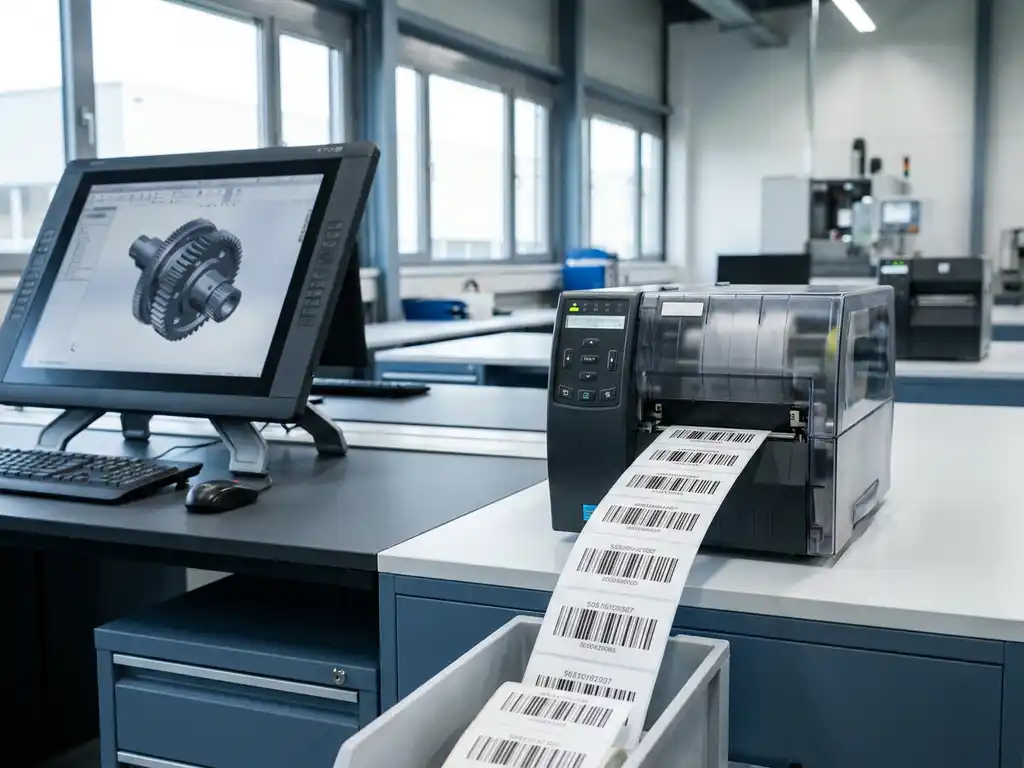
Can CAD software automatically create shipping labels and serial numbers?
Yes, modern CAD software can automatically generate shipping labels and serial numbers through integration with manufacturing databases and labeling systems. This functionality automates the label creation process, eliminating manual input and minimizing errors. The software generates labels directly from 3D models and production data, including barcodes, QR codes and serial numbering. For implementation questions, please feel free to contact specialists.
Manual label creation costs you valuable production time
Manually entering product data for shipping labels and serial numbers creates delays in your production process. Every time an employee has to retype data from drawings to label systems, there is a risk of typographical errors and the process takes longer than necessary. This inefficiency accumulates with each production run. The solution lies in automating the data transfer between your CAD system and label generation so that information is taken directly from your 3D models, without human intervention.
Inconsistent label formats create confusion in logistics
Different label formats and inconsistent serial numbering cause chaos in your warehouse and with customers. When labels are not standardized, logistics partners make errors in sorting and shipping, leading to incorrect deliveries and customer dissatisfaction. This problem gets worse as your product volume increases. By using CAD software that automatically generates standardized labels according to preset templates, you ensure uniformity and avoid costly logistical errors.
Can CAD software automatically generate labels and serial numbers?
CAD software can automatically generate labels and serial numbers by linking directly to manufacturing databases and label printing systems. The software extracts product information from 3D models and, in accordance with preset templates, generates labels with barcodes, serial numbers and product specifications.
This automation works through intelligent data linkage between the CAD system and external databases. When you design a product, the software automatically stores relevant data, such as dimensions, material specifications and product codes. This information is then used to generate labels that meet your company standards and logistical requirements.
Most professional CAD packages offer this functionality via plug-ins or integrated modules. For companies in mechanical engineering and metalworking, this is essential for efficient production processes.
How does automatic label generation work in CAD systems?
Automatic label generation in CAD systems works through data linkage between the 3D model and label templates. The system extracts product data from the model and automatically populates it into predefined label formats, including barcodes and serial numbering.
The process begins with defining product attributes in your CAD model. These attributes contain all relevant information, such as part number, dimensions, material and production specifications. Next, you set up label templates that determine what data appears where on the label and in what format.
When you have a product ready for production, the system automatically generates the necessary labels. This happens in real time, so you always have up-to-date labels that correspond to your latest design changes. For complex projects in barn design, this prevents miscommunication between design and production.
What data is automatically acquired?
CAD systems automatically incorporate product codes, dimensions, material specifications, weight, production date and revision numbers. Custom attributes, such as customer specifications and project numbers, can also be integrated into automatic label generation.
What benefits does automated label creation offer to manufacturing processes?
Automated label creation eliminates manual input errors, saves time and ensures consistent labeling. It increases production efficiency by directly linking design and labeling, significantly reducing lead time from design to shipment.
The time savings are significant. Where manual label creation can take minutes per product, automatic generation happens in seconds. This advantage is magnified in custom companies, such as in kitchen construction, where each product has unique specifications.
In addition, product traceability improves. Automatically generated serial numbers and barcodes make it possible to track each product throughout the production process. This is essential for quality control and warranty handling, especially for complex products in interior design.
Cost savings from fewer errors
Automation reduces typos that can lead to incorrect deliveries, returns and customer dissatisfaction. These errors cost not only money, but also time and reputation. Automated systems virtually eliminate these risks.
What types of labels can CAD software automatically create?
CAD software can create transport labels, production labels, barcode labels, QR code labels and compliance labels automatically. Specialized labels, such as CE markings, safety labels and customer-specific labels, can also be generated according to preset templates.
Shipping labels contain essential logistics information, such as shipping address, weight, dimensions and handling instructions. These are automatically generated based on product data and order information from your CAD system and an ERP link.
Workshop production labels contain technical specifications, machining instructions and quality control information. These labels help production workers work correctly according to design specifications without manual interpretation of engineering drawings.
Barcode and QR code integration
Modern CAD software automatically generates barcodes and QR codes linked to product databases. These codes contain compressed product information that is scannable for inventory systems, quality control and logistics tracking.
How do you choose CAD software with the right labeling functionality?
Choose CAD software that supports native label generation or offers strong API links to label systems. Make sure the software supports your label formats, offers integration with existing ERP systems and has enough flexibility for custom label templates.
First, evaluate your current labeling needs and future growth plans. Some CAD packages offer basic labeling functionality, while others support advanced automation with database integration and real-time updates. To learn more about the capabilities, attend training sessions to learn about the functionalities.
Test the software thoroughly with your own product data before investing. Many vendors offer trial versions that allow you to evaluate whether the label functionality meets your specific requirements. Pay particular attention to ease of use, integration capabilities and support for your label printers and formats.
How IronCAD helps with automatic label generation
IronCAD offers powerful automation for label generation through seamless integration with manufacturing databases and ERP systems. The software automatically generates all required output for your production process:
- Automatic generation of transport labels with product specifications
- Serial numbering linked to 3D model data
- Barcode and QR code creation for traceability.
- Standardized label formats for consistent appearance
- Real-time updates on design changes
IronCAD’s flexible interface allows you to work quickly and efficiently, with no obstacles in your creative process. The software integrates seamlessly with existing ERP systems, giving you complete automation from design to shipping. Want to experience for yourself how IronCAD can automate your labeling processes? Contact us for a personal demonstration.


