Can I create a good rendering of a piece of furniture or an interior without expensive software?
Yes, you can create a high-quality rendering of a piece of furniture or an interior without expensive software. With the right free or affordable tools, you can go a long way—as long as you know what you need and which steps to follow. In this article, we answer the most frequently asked questions about rendering without a major investment.
What are the minimum requirements for a good furniture rendering?
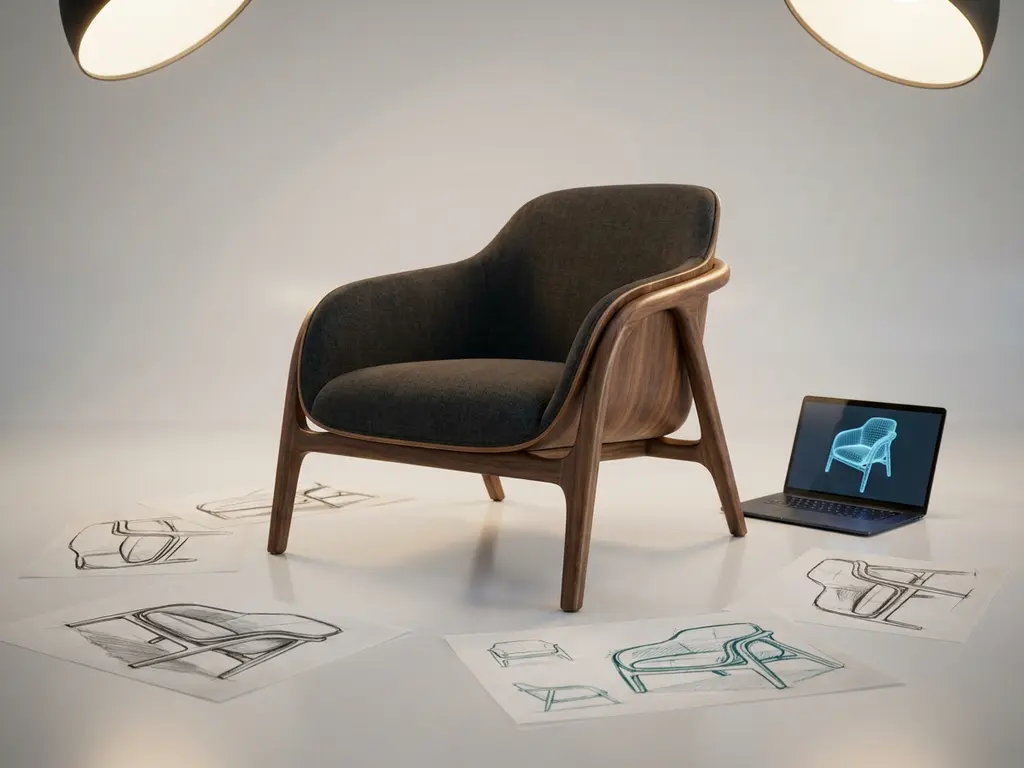
To create a good furniture rendering, you need at least a 3D model, a lighting setup, materials or textures, and a rendering engine. The quality of your final result depends mainly on how realistic your materials are and how well your lighting is set up. The software itself is less of a determining factor than many people think.
In practical terms, this means you need to have the following in order:
- An accurate 3D model of the piece of furniture or the space, preferably exported from your CAD environment
- Realistic materials and textures, such as wood grain, fabric, or metal
- A lighting setup that sets the mood: natural daylight, spotlights, or ambient lighting
- A rendering engine that calculates lighting and reflections to produce a realistic image
You don’t need an expensive workstation for basic rendering. Modern free tools make good use of your graphics card, so you can achieve great results even with an average computer. Most of the time is spent setting up materials and lighting, not just clicking a button.
What free or affordable tools can you use for rendering?
There are several free or affordable rendering tools available that are suitable for furniture and interior visualizations. The best-known options are Blender, Lumion Free, KeyShot Viewer, and Twinmotion. Each has its own strengths, depending on your workflow and the desired result.
Blender
Blender is completely free and includes a powerful rendering engine called Cycles. It’s ideal if you’re willing to go through a learning curve. The community is large, there are many free materials available, and the results can be professional-quality. For furniture and interior design work, Blender is one of the best free options.
Twinmotion
Twinmotion offers a free version for small projects and is exceptionally user-friendly. It uses real-time rendering, which means you can see exactly what your rendering looks like as you make adjustments. The tool is popular in interior design because it allows you to quickly produce mood images without in-depth technical knowledge.
Other affordable options include KeyShot (a paid program, but with a free viewer) and D5 Render, which also offers a free version that provides good quality for interior visualizations. The choice depends on your budget, your experience, and how often you need renderings.
How do you export a 3D model from CAD software to a rendering program?
You export a 3D model from CAD software to a rendering program using a neutral file format such as OBJ, FBX, STEP, or STL. Which format you choose depends on what the rendering program supports. OBJ and FBX are the most widely supported and also preserve material information.
Follow these steps to ensure a smooth export:
- Check to make sure your model is complete and does not contain any loose parts or holes
- Save the model in a supported format, preferably OBJ or FBX
- Import the file into your rendering program
- Check the scale, because some programs interpret units differently
- Reassign or refine materials within the rendering environment
Keep in mind that CAD models sometimes contain too much detail for rendering, which can slow down performance. It may help to merge parts or simplify less visible details before exporting.
What is the difference between a built-in renderer and an external rendering tool?
A built-in renderer is directly integrated into your CAD or design software and offers a quick way to create visualizations without needing additional programs. An external rendering tool is a separate program that specializes in image quality and provides more control over lighting, materials, and atmosphere, but requires an additional export step.
The advantage of the built-in renderer is that you can work directly from your design environment. You don’t have to export anything, and you can quickly see what a design looks like. This is useful for internal presentations or quick communication with clients.
However, an external tool such as Blender or Twinmotion offers many more options for photorealistic images. You have more control over lighting, environments, and material behavior. If you’re using renderings for proposals, marketing materials, or client presentations where making a strong impression is key, an external tool is the better choice.
For companies in the furniture and interior design industries, combining the two is often the most practical approach: use the built-in renderer for quick checks and an external tool for final presentations.
When is expensive rendering software actually worth it?
Expensive rendering software is worth the investment if you regularly need photorealistic images for commercial purposes, if speed and automation are crucial, or if you’re working on large projects that require consistency and scalability. For occasional use, the costs often don’t outweigh the benefits.
Consider investing in professional rendering software such as:
- You create daily renderings for client presentations or marketing campaigns
- You work on large-scale interior design projects that require the visualization of many different options
- Time savings directly contribute to higher revenue or faster turnaround times
- Your team consists of several people who are working on visualizations at the same time
- The quality of your images has a direct impact on your conversion rate or reputation
For small businesses or self-employed individuals who need a rendering every now and then, free tools are more than enough in most cases. Start with what’s available and only invest once you realize that the limitations are really holding back your workflow.
How IronCAD Helps with Professional Furniture Visualizations
When you’re creating designs for furniture or interior construction, a good rendering starts with a good 3D model. That’s exactly where IronCAD makes a difference. Instead of struggling with complex history structures, you can design quickly and flexibly in 3D, then easily export the model to the rendering program of your choice.
Here’s what IronCAD specifically offers for your visualization workflow:
- Fast 3D models that are immediately ready for export to rendering tools such as Blender or Twinmotion
- Export options to common formats such as OBJ, FBX, and STEP
- Intuitive design without relying on complex tree structures, so that changes can be implemented in seconds
- Integration with the entire production chain, from design to cutting lists and NC codes
- Easy to learn, even for teams without extensive CAD experience
Would you like to see how IronCAD fits into your design and visualization process? Contact us for a no-obligation demo.