
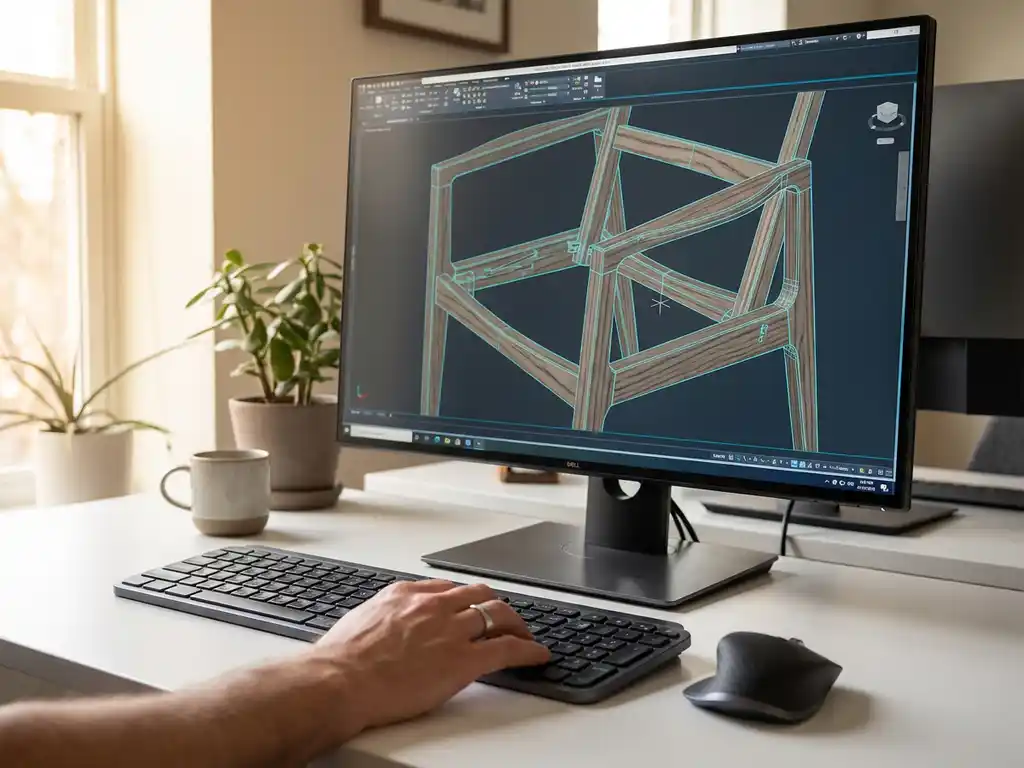
Can I create furniture designs in 3D CAD software?
If you design furniture, you probably want to visualize your ideas as realistically as possible before you begin actual production. 3D drawing software offers the perfect solution for this. With modern CAD software, you can not only create beautiful furniture designs, but also instantly generate production drawings and create bills of materials.
In this article, we answer the most frequently asked questions about using CAD software for furniture design: from the basics to practical tips for getting started with your first 3D project.
What is 3D CAD software for furniture design?
3D CAD software for furniture design is specialized software that allows you to design and visualize three-dimensional furniture models and generate technical drawings. This software combines design tools with production data for a complete workflow from idea to finished product.
The software works with virtual 3D models that you can view from any angle, modify in real time and use directly for production. You build furniture by combining components such as shelves, joints and hardware in a digital environment. Modern furniture CAD software often includes libraries of standard components such as hinges, drawers and hardware.
The big advantage is that you can detect and fix errors before you start cutting or assembling. You immediately see how parts fit together and can calculate material consumption.
What advantages does CAD software offer in furniture design?
CAD software offers precision, speed and cost savings in furniture design. You can customize designs precisely, avoid material waste and reduce production time with automatically generated cutting lists and assembly instructions.
The main benefits are:
- Precision: millimeter-accurate dimensions and perfect fit of all parts
- Visualization: realistic 3D view before you start building
- Material optimization: automatic calculation of the required material and optimal plate layout
- Quick adjustments: make changes without having to start over
- Production documents: automatic generation of cut lists, assembly drawings and NC code
For furniture makers, this means less waste, faster turnaround times and more professional presentations for customers. You can quickly try out different variants of a design and choose the best option.
How do you get started with 3D furniture design in CAD software?
Begin by learning the basic functions of the CAD software you have chosen and start with simple projects, such as a simple cabinet or table. Focus first on understanding the design logic before you start designing more complex furniture.
Follow these steps for a good start:
- Choose appropriate software: select CAD software specifically suited for furniture design
- Learn the interface: spend time understanding the toolbar and navigation
- Start simple: start with rectangular shapes and simple connections
- Use templates: work with pre-made components from the software library
- Practice with dimensions: learn how to measure and dimension accurately
It is wise to take a few online tutorials or a course first. Most CAD software has a learning curve, but once you master it, you will have a powerful tool for professional furniture design.
Which CAD software is best for furniture design?
The best furniture design CAD software combines ease of use with powerful woodworking features such as automatic saw lists, material optimization and specialized tools for joints. Software developed specifically for the furniture industry outperforms general CAD packages.
Important features to watch out for:
- Intuitive interface: drag-and-drop functionality and visual design tools
- Material library: predefined wood species and finishes
- Automatic lists: generation of sawing and purchasing lists
- Plate optimization: efficient distribution of parts on plates
- Production integration: export to CNC machines and saw benches
Also pay attention to the learning curve and available support. Software with good tutorials and customer service will help you become productive faster. Many vendors offer demo versions to try out the software first.
Can I generate production drawings from my 3D furniture design?
Yes, modern CAD software automatically generates production drawings, saw lists, assembly instructions and NC code from your 3D furniture design. This saves a lot of time and prevents errors in the transition from design to production.
From a 3D model, you can generate automatically:
- Technical drawings: 2D views with dimensions and details
- Saw lists: overview of all required parts with dimensions
- Material lists: purchasing overview of plates, fittings and glue
- Assembly instructions: step-by-step assembly instructions
- NC programs: code for CNC machines and saw benches
The quality of these automatically generated documents depends on how accurately you built the 3D model. Make sure that all joints, cutouts and operations are modeled correctly. This will give you reliable production documents that are immediately usable in the workshop.
How IronCAD helps with 3D furniture design
IronCAD offers a revolutionary approach to furniture design, with intuitive drag-and-drop tools and specialized features for the furniture industry. As a distributor of IronCAD in the Netherlands, we help furniture makers digitize their design process and increase their productivity.
With IronCAD, you benefit from:
- Intuitive design: drag-and-drop modeling without complex commands
- Para-Flex add-in: automatic generation of saw lists and sheet optimization
- Flexible adjustments: make changes without rebuilding the design
- Direct production output: NC code and technical drawings with one click
Want to know how IronCAD can improve your furniture design? Contact us for a personal demonstration and find out how you can design faster and more efficiently.


