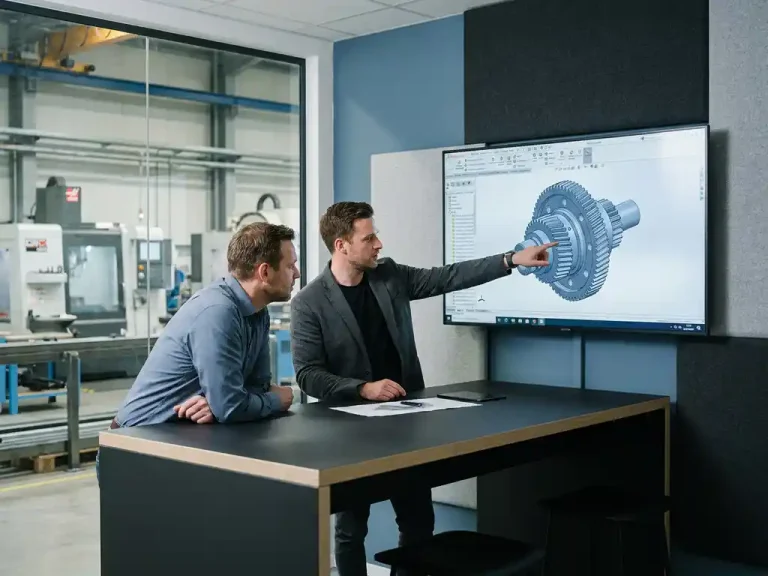
How can I show a customer a 3D drawing without them needing special software?
You can show a customer a 3D drawing without requiring them to have special software by using formats such as a 3D PDF, an online 3D viewer in the browser, or a shared viewer link. These options work on virtually any device and require no installation. In this article, we answer the most frequently asked questions about sharing 3D designs with clients.
What file formats can you use to share a 3D model?
The most commonly used formats for sharing a 3D model with someone who doesn’t have CAD software are 3D PDF, STEP, OBJ, STL, and HTML-based 3D viewer links. Each format has its own specific use case. For client presentations, 3D PDF and online viewer links are the most suitable, since they require no installation and can be opened immediately.
A brief comparison of the most commonly used formats:
- 3D PDF: Interactive, viewable with Adobe Acrobat Reader, ideal for official documentation
- HTML viewer link: Works directly in the browser, no software required, easy to share via email or chat
- STL or OBJ: More technical in nature, suitable for manufacturing or 3D printing, less suitable for client presentations
- STEP: Universal exchange format for engineers; requires a CAD viewer
For customer communication, it’s best to choose a format that doesn’t require the customer to install anything, yet still allows them to rotate, zoom in on, and view the model from any angle.
How does a 3D viewer work in a browser?
A browser-based 3D viewer loads a 3D model via a web link and displays it using WebGL, a technology that comes built into modern browsers such as Chrome, Firefox, and Edge by default. The customer clicks on the link and can view the model immediately without having to install or download anything.
Most online 3D viewers offer basic interactions such as rotating, zooming, and panning. Some advanced viewers offer additional features such as turning components on and off, measuring distances, or adding annotations. This makes them particularly well-suited for walking a client through a design step by step, even remotely during a video call.
Well-known platforms that support this include Autodesk Viewer, ShareCAD, and various cloud-based CAD environments. The choice depends on which software you use as a designer and how much control you want to have over exactly what the client can see.
What is the difference between a 3D PDF and an online 3D viewer?
The main difference is that a 3D PDF is a file you send, while an online 3D viewer works via a link to a cloud platform. A 3D PDF works offline and is easy to archive, but requires Adobe Acrobat Reader and can sometimes be slow with large models. An online viewer requires an internet connection, but is faster, more accessible, and easier to update.
When should you choose a 3D PDF?
A 3D PDF is useful if you want to include a model as an attachment to a quote or technical documentation. The customer does not need an internet connection to open it, and the file is saved as a standalone document. This also makes it suitable for archiving or for use in industries where document management is strictly regulated.
When should you choose an online 3D viewer?
An online viewer is the better choice if you want to switch quickly, give multiple clients access to the same model, or update the design regularly. Because the link always points to the most recent version, you don’t have to send new files every time you make a change. This saves time and prevents confusion about versions.
Can a customer also view a 3D model on their phone?
Yes, a customer can view a 3D model on their phone, provided you use a mobile-friendly online viewer or a well-optimized 3D PDF. Most modern browsers on smartphones support WebGL, so a viewer link will work well on a phone or tablet. Opening a 3D PDF on a mobile device is less reliable and depends heavily on the PDF app being used.
For the best mobile experience, choose a cloud-based viewer that automatically adjusts to the screen size. This allows a client to view the design even while on the go or at the construction site, which significantly speeds up communication. Especially in industries such as furniture and interior design, where customers often make decisions on the spot, mobile accessibility is a practical advantage.
How do you share a 3D design from IronCAD with a client?
From within IronCAD, you can share a 3D design with a client in several ways. You can export it to a 3D PDF, a STEP file, or another exchange format. For clients without a technical background, exporting to a 3D PDF or using a third-party viewer is the most accessible option.
The steps are simple:
- Export the model from IronCAD to the desired format (for example, 3D PDF or STEP)
- Upload the file to an online viewer if you want to share a browser link
- Send the link or file to the client via email or a project platform
- If necessary, give the customer a brief explanation of how to operate the model
For more technically inclined customers or business partners, you can also include a STEP file so they can open the model in their own CAD environment.
What are the benefits of 3D presentations for customer communication?
3D presentations improve communication with customers by making a design immediately visual and easy to understand, even for people without a technical background. A client who can rotate and zoom in on a 3D model understands the design much better than when looking at a 2D drawing alone. This leads to fewer misunderstandings, faster approvals, and fewer revisions.
A summary of the specific benefits:
- Customers understand the design better, which makes their feedback more specific and useful
- Less back-and-forth communication regarding ambiguities in dimensions or shape
- A more professional presentation, which builds trust with the customer
- Faster decision-making, because the customer can immediately see what they’re getting
- Fewer production errors thanks to better coordination during the design phase
This is a major advantage, especially for custom work in industries such as furniture and interior design. A customer who has already seen their custom cabinet or kitchen in 3D has more confidence in the final result and is more likely to give their approval.
How IronCAD Helps You Share 3D Designs with Clients
IronCAD makes it easy to export and share 3D designs in formats that are accessible to customers without CAD knowledge. Whether you work in furniture and interior design, metalworking, or mechanical engineering, IronCAD offers the flexibility you need to communicate quickly and professionally with your clients.
What IronCAD specifically offers for client presentations:
- Export to 3D PDF, STEP, and other common file formats
- An intuitive interface that lets you quickly make adjustments based on customer feedback
- Flexible design without complex version history structures, so that changes can be implemented in seconds
- Support for customization, which directly addresses customer-specific needs
Would you like to see how IronCAD can work for your design and communication process? Contact us, and we’d be happy to show you what’s possible.