Why does work planning come to a standstill as a company grows?
Work planning can become overwhelmed as a company grows because the volume of work increases exponentially, while the processes, tools, and people don’t automatically scale along with it. What was still manageable with ten orders a week quickly becomes a source of errors, delays, and stress when that number reaches fifty. In this article, we answer the most frequently asked questions about why work planning doesn’t scale and what you can do about it.
What are the most common challenges in work planning?
The most common bottlenecks in work planning are manual data entry, unclear communication between departments, fragmented information in separate files, and the lack of automated outputs such as cutting lists and purchase lists. These bottlenecks lead to delays, errors, and high workloads for the people responsible for planning.
In practice, we see that work planners spend a lot of time on tasks that could actually be automated. Examples include manually copying measurements from drawings, compiling material lists in a spreadsheet, or forwarding information to the shop floor via email. Each of these steps is a potential source of error.
- Information is scattered across multiple systems or files
- Changes to the design are not automatically reflected in the production schedule
- There is no clear overview of the status of orders
- Communication between design, procurement, and production is slow or unclear
- Manual work leads to errors that aren’t discovered until late in the process
What these bottlenecks have in common is that they can all be traced back to a lack of integration between the various steps in the process. As long as each step stands on its own, work planning remains vulnerable.
Why does the workload in work planning increase as a company grows?
The workload in production planning increases as the business grows because the volume of orders, variants, and customer-specific modifications rises, while the underlying processes are often not set up to handle that volume. More orders mean more drawings, more lists, more coordination, and a higher risk of errors if everything is done manually.
Growth sounds positive, but for production planning, it often feels like a burden. A company that grows from twenty to fifty employees not only doubles its production but also its complexity. There are more customers with specific needs, more suppliers to coordinate with, and more variants to keep track of.
Work planning does not scale because the processes were not designed for scalability. What used to be stored in the mind of a single experienced employee must now be embedded in systems. If this does not happen, the work planner becomes a bottleneck rather than a link that adds value.
How does outdated CAD software cause delays in work planning?
Outdated CAD software causes delays in work planning because design changes must be implemented manually, since the software does not automatically link to production outputs such as cutting lists, NC codes, or purchase lists. Every adjustment takes extra time and increases the risk of errors.
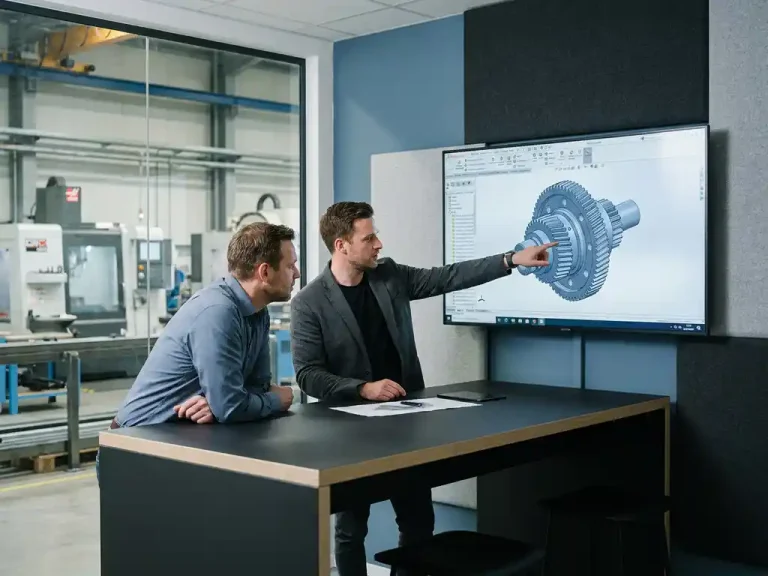
Many companies in the manufacturing industry still use CAD software packages they purchased when the company was smaller. That software worked just fine at the time, but it hasn’t kept pace with today’s requirements. Complex history structures make it difficult to implement changes retroactively. A small adjustment to the design can mean that an employee spends tens of minutes manually updating all dependent elements.
In addition, many older software packages lack the ability to export directly from the design to production information. The production planner must perform this step manually, which is time-consuming and prone to errors. In a growing organization, where the number of orders is increasing, this problem becomes increasingly significant.
What is the difference between work planning with and without integrated software?
The difference between work planning with and without integrated software is that integrated software automatically links design, bills of materials, procurement, and production. Without integration, employees must manually transfer information between systems, which leads to delays, errors, and duplicate work.
Work Planning Without Integrated Software
Without integration, each part of the process operates in its own silo. The designer works in a CAD program, the production planner manually transfers the information to a spreadsheet, the buyer receives a list via email, and the production worker works with a printed drawing. Every time information is transferred, there is a risk of errors and delays.
Work Planning with Integrated Software
With integrated software, information flows automatically from design to production. A change to the 3D model is immediately reflected in the corresponding bills of materials and NC codes. The production planner no longer has to copy data manually but can focus on monitoring the process and resolving exceptions. This not only saves time but also reduces a lot of frustration.
When is it time to automate work planning?
It’s time to automate work planning if you notice that the same mistakes keep happening, lead times are increasing even though the team is working harder, or if work planning has become a structural bottleneck in the production process. These are signs that manual processes are actively hindering the company’s growth.
Here are a few concrete signs that the time has come:
- Work planners are consistently working overtime or don’t have time to make exceptions
- Errors in bills of materials or drawings frequently lead to production stoppages
- Customers are complaining about longer delivery times than before
- It takes new employees months to understand the process
- Information about an order is scattered across multiple systems and is not easy to find
Automation isn’t just a luxury for large companies. For smaller manufacturing companies, too, implementing the right software can make the difference between controlled growth and chaos. The sooner you take that step, the less damage inefficient processes will cause.
How can software systematically improve work planning?
Software can systematically improve work planning by automating repetitive tasks, making information centrally available, and establishing a direct link between design and production. This reduces the risk of errors, shortens lead times, and allows the team to focus on work that truly adds value.
The key lies in automated output. If a design directly generates a cutting list, a parts list, sheet metal optimization, and NC codes for the machine, a large portion of the manual work is eliminated. Those are precisely the steps where errors creep in and time is wasted.
Good software also supports collaboration between departments. Designers, production planners, buyers, and production staff all work from the same source of information. This prevents misunderstandings and ensures that everyone is always working with the most up-to-date version of an order. For companies that want to learn more about how to improve their industry-specific processes, it makes sense to look into software tailored to their sector.
How IronCAD Helps with Scalable Work Planning
IronCAD is a powerful 3D CAD solution that is particularly well-suited for companies in the manufacturing industry that want their work planning to grow alongside their business. The software is intuitive, easy to learn, and designed to directly link the design to the production output you need.
Specifically, here’s what IronCAD offers for work planning:
- Automatic generation of cutting lists, parts lists, and NC codes from the 3D model
- Flexible adaptation of designs without complex version histories, even in later design phases
- Sheet optimization directly from within the software, which reduces material waste
- Steep learning curve: employees are productive within days, not months
- Seamless integration with ERP software for a fully integrated production process
Would you like to see how IronCAD fits into your work planning process? Check out the available solutions or contact us directly for a no-obligation consultation.